How to Automate Artisan POS
Artisan POS from CerTek already runs the store: purchase orders and receiving, special orders holding a customer's deposit and balance, layaways, variant templates, Smart Start reordering and a report designer. Distributor order status, supplier accounts and competitor pricing sit on outside logins, and that round suits an agent like WebRun.
 Written by
Aiko Tanabe
Product researcher
Written by
Aiko Tanabe
Product researcher
 Reviewed by
Nora Whitfield
Editorial lead
Reviewed by
Nora Whitfield
Editorial lead
Party retail is ten thousand small items and one fixed date
Artisan POS, from CerTek Software Designs, is retail management software for independent specialty shops, and its industry list reads like a tour of the businesses a generic till handles worst: apparel, jewellery, wine, kitchen supply, consignment, fine craft, fireworks, marinas and party supply.
A party store shows why. It carries thousands of low-value items that only mean anything in sets, because nobody buys one plate. Artisan handles that with variant templates for the things that come in a dozen colours and sizes, party hats and balloons among them, and with kits that group items to be sold together, which is how a themed table setting or a gift basket becomes one line on a receipt.
Behind the counter sit the parts that are not a walk-in sale at all. Layaways with deposits against them. Special orders placed for one named customer. A buying cycle that starts months before the season it is for, run by an owner who is also doing the ordering.
The boxes that have not arrived run the week
A party store loses its week to the things it owes people, not to the queue: a deposit taken, a date promised, a case that has not turned up.
A customer pays half on a themed set for a party in three weeks. The distributor's dealer site said the line was in stock when the order went in and now says backordered with no date against it. Somebody rings, waits, and is told to check the portal, which is where they started.
The licensed lines are harder again, because whichever character is popular in October was decided elsewhere and the allocation arrives without warning. The helium account has its own portal and its own delivery schedule. Two shops down the road are already marking down the same seasonal stock this one is still selling at full price.
All of it is checkable. Little of it gets checked, because checking is an afternoon nobody has.
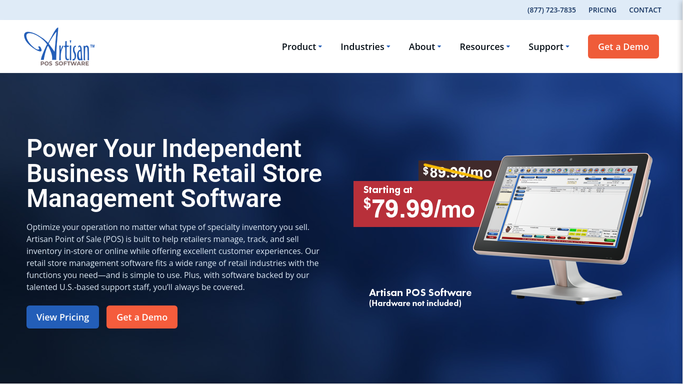
Artisan tracks the deposit, the variant and the reorder point
Artisan is unusually complete for software sold to shops this size, and the buying side shows it.
Inventory runs the whole cycle: purchase requests, purchase orders, receiving, sales, layaways, special orders and returns, with FIFO costing behind it and categories nesting as deep as nine levels. Reorder levels and Smart Start cover the routine purchasing. The special order system is the piece a party store leans on hardest. It holds the customer's deposit, payments and balance due together, prompts whoever does the buying to order that item on the customer's behalf, and tells receiving that a box on the pallet is already spoken for.
On the selling side there are Quick-Pick menus with product images, Loyalty Clubs with Points, gift registries, BOGO and nFer pricing, an employee time clock and age verification. Reports come built in or built by you, with a report designer behind them, and products sync out to a Shopify or WooCommerce store with the web orders pulled back down.
Every one of those works on what is already inside Artisan, or on a webstore it has been connected to. The distributor's dealer site is not connected. Neither is the helium supplier's account, the licensed brand's release calendar, or the shop two streets away. Those are what decide whether the promise on a layaway ticket can be kept.
Seasonal buying can be done on this week's information
Halloween gets bought in April and sold in three weeks, and nearly everything that decides it well is on somebody else's website.
Every open special order carrying a deposit checked against the distributor's order status each morning, so the customer who paid half on a themed set is called when the date moves rather than in the week of the party. A backorder that quietly lost its date flagged the day it slips, which leaves room to source the same set from a second distributor.
The licensed lines watched on each dealer site, so a cancelled or reallocated release is known before a display goes up around the hole it leaves. The helium account read for the delivery date and the cylinder balance, because a balloon counter that stops on a Saturday in June has lost the day.
Reading all of that can happen overnight. Deciding what to promise a customer cannot.
The deposit is a promise a person made
One refresh of a distributor's page answers whether the special order moved. The buying here gets done between serving customers and locking up, so that refresh happens after closing or not at all.
WebRun is an AI agent that works a real Chrome browser, signed in as you. It opens a distributor's dealer site or a supplier account, reads the order status off the screen, and brings it back against the special order, layaway or item it belongs to in Artisan POS.
Runs go on a schedule you choose, in your own private environment, and you can watch one and stop it. Calling a customer, placing the order and setting a markdown are drafted and left for you.
Every workflow below states what it opens and what comes back.
Questions people ask
The purchase order is real money. Where does a person come in?
Before anything is committed. It reads each dealer site for status, availability and cost, then builds the order you would have placed and stops. Committing money to a distributor is a decision with your account behind it, so a person reviews the list and submits it.
Our special orders live in Artisan. Does anything get written back?
Only what you approve. Dates and statuses gathered from distributor sites come back as a list beside the special order they belong to. Updating the record in Artisan stays a deliberate action, so nothing overwrites a deposit, a balance or a promised date on its own.
Our seasonal staff change every October. What happens to the logins?
The logins stay yours. Runs happen in your own private environment, signed in as the accounts you connected, so a temporary member of staff never needs the distributor password to find out where an order is. Nothing about the checking changes when the season ends.
12 ready-made Artisan POS workflows
Each one names the apps it touches and the exact steps it takes. Open one to read what it will do, then turn it on.




Want one of these running on your own Artisan POS?
Show WebRun the process once and it will run it on schedule, in your own private browser environment.