Close out your day's party sales for you
Every night, WebRun opens Artisan POS, totals the day's sales by category (costumes, balloons, decor, and favors), logs the breakdown to a running Google Sheet, and posts a short recap to Slack so you see how the store did before close.
- No credit card
- Under $0.01 per run
- Cancel anytime
What does WebRun do on every run?
The exact actions WebRun takes, in order - in plain language, so you can adjust anything.
-
WebRun signs in and gets to work
Opens
certek.comin a real browser with your saved login - no setup, no API keys. -
1
Artisan POS - total the day's sales by category
certek.com How to Automate Artisan POS

WebRun opens Artisan POS to total the day's sales by category. - Open Artisan POS and pull the day's completed sales
- Group revenue by category: costumes, balloons, decor, and favors
- Note total transactions, average ticket, and top-selling SKUs
Done when The day's sales are totaled and broken down by category.
-
2
Google Sheets - log the daily revenue breakdown
google.com How to Automate Google Sheets
WebRun opens Google Sheets to log the daily revenue breakdown. - Open the daily sales tracker sheet
- Append today's row with revenue by category, transaction count, and average ticket
- Update the rolling weekly and monthly totals
Done when Today's numbers are logged and the running totals are updated.
-
3
Slack - post tonight's recap
slack.com How to Automate Slack
WebRun opens Slack to post tonight's recap. - Post a short recap of today's total sales and top category
- Flag any category that's down more than 15 percent versus last week
- Include the average ticket size for the day
Done when You have tonight's recap waiting in Slack.
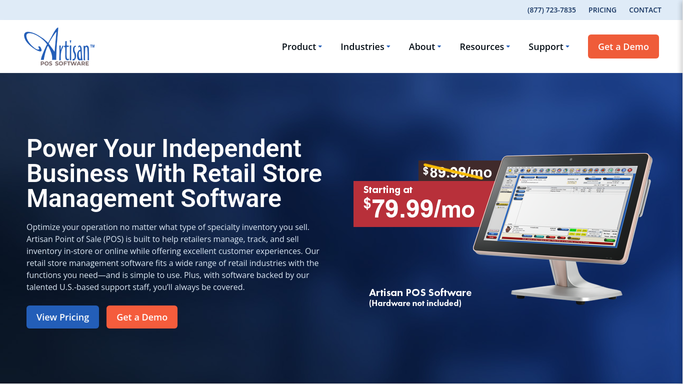


How do I get a daily sales digest for my party supply store?
WebRun closes out your party store's day automatically. Every night it opens Artisan POS, totals sales by category such as costumes, balloons, decor, and favors, logs the breakdown to Google Sheets, and posts a short recap to Slack, so you always know how the store performed before you lock up.
- Owners see the day's sales by category before closing up
- No more manually tallying the register by hand every night
- A running Sheets log of daily and weekly sales trends
Built for party supply retailers · costume shop owners · party store managers
How is each run configured?
Secure by default
Connect once, stays signed in
WebRun signs in once and keeps each session in a persistent environment, so every run picks up right where it left off.
Every action is checked against this policy before it runs.
Questions, answered
Does it change anything in my POS?
No. It only reads completed sales from Artisan POS. It never edits a transaction, a price, or a customer record.
What if Artisan POS is offline for part of the day?
It totals whatever sales synced by run time and flags the gap in the Slack recap, so you know the numbers are partial.
Can I get the recap somewhere other than Slack?
Yes. Point delivery at email or Telegram instead. The Google Sheets log stays the same either way.
Related templates
Put this on autopilot.
Turn it on in minutes - or have our team set it up for you.