Flag owners missing a W-9 or a good address
Every Monday, WebRun opens Petrofly, finds owners missing a W-9 or a deliverable address, logs each exception to a Google Sheet, and drafts an outreach message to each owner to collect what is missing, leaving every draft unsent for your review.
- No credit card
- Under $0.01 per run
- Cancel anytime
How do I flag owners missing a W-9 or a good address automatically?
Every Monday, WebRun opens Petrofly, finds owners missing a W-9 or a deliverable address, and notes the held balance for each. It logs every exception to a Google Sheet, drafts outreach to each owner in Gmail asking for the missing item, and leaves each draft unsent for your review, so held revenue can be released once owners respond.
- Owner data gaps surface weekly, well before 1099 season
- Each owner's outreach is drafted and waiting, so you just review and send
- Held revenue is released sooner because the missing item is chased early
Built for oil and gas operators · revenue accountants · upstream producers · royalty owner relations
What does WebRun do on every run?
The exact actions WebRun takes, in order - in plain language, so you can adjust anything.
-
WebRun signs in and gets to work
Opens
petrofly.comin a real browser with your saved login - no setup, no API keys. -
1
Petrofly - find owners missing a W-9 or address
petrofly.com How to Automate Petrofly
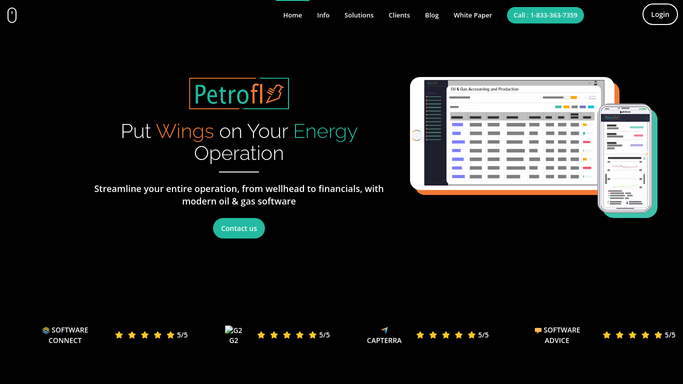
WebRun opens Petrofly to find owners missing a W-9 or a deliverable address. - Open Petrofly and review owners flagged with a missing W-9 or an undeliverable address
- Capture each owner, the property, and exactly what is missing or returned as bad
- Skip any owner whose W-9 and address are already on file or was contacted last week
Done when Every owner missing a W-9 or a good address has been captured with what is needed.
-
2
Google Sheets - log the owner exceptions
google.com How to Automate Google Sheets

WebRun logs each owner exception and the held balance to the tracking sheet. - Open the owner exception sheet and add or update a row per owner
- Record the property, the missing item, the suspense balance held, and days outstanding
- Group by exception type so W-9 gaps and address gaps are each easy to see
Done when The exception sheet holds every owner with a missing W-9 or address and what is needed.
-
3
Gmail - draft owner outreach
gmail.com How to Automate Gmail

WebRun drafts outreach to each owner for the missing item and leaves it unsent. - Draft a short, on-brand message to each owner asking for the missing W-9 or a current address
- Explain that the item is needed to release the revenue held for them
- Save every message as a draft and leave it unsent for your review
Done when An outreach draft sits ready in Gmail for every owner with a W-9 or address gap.
How is each run configured?
Secure by default
Connect once, stays signed in
WebRun signs in once and keeps each session in a persistent environment, so every run picks up right where it left off.
Every action is checked against this policy before it runs.
Questions, answered
Will it email owners without me?
No. WebRun drafts each outreach message in Gmail and leaves it unsent. You review every message and click send, so no owner is contacted before you approve it first.
How does it know which owners have an exception?
It reads the owner records in Petrofly and lists only those flagged with a missing W-9 or an undeliverable address. Any owner whose details are complete is dropped from the list.
Will it re-contact an owner who just returned their W-9?
No. WebRun checks the live owner status in Petrofly each run and skips any owner whose W-9 and address are now on file, plus anyone already contacted in the last week.
Related templates
Put this on autopilot.
Turn it on in minutes - or have our team set it up for you.