Start every week with a clear view of bookings and revenue
Every Monday, WebRun opens SmartMoving, reads last week's bookings, revenue, average job value, and lead conversion rate, logs the figures to a running Google Sheet, and posts a concise weekly summary to your management Slack channel.
- No credit card
- Under $0.01 per run
- Cancel anytime
How do I automatically get a weekly bookings and revenue report for my moving company?
WebRun opens SmartMoving every Monday, reads the previous week's bookings, revenue, average job value, and lead conversion rate, logs the figures to a Google Sheet, and posts a concise summary to your management Slack channel. The whole report is ready at the start of the week with no manual pulling required.
- Management starts every Monday with a complete bookings and revenue summary in Slack
- Weekly figures are automatically logged to Google Sheets for trend tracking
- Significant week-over-week changes are flagged so the team can investigate immediately
Built for moving company owners · operations managers · moving company management teams
What does WebRun do on every run?
The exact actions WebRun takes, in order - in plain language, so you can adjust anything.
-
WebRun signs in and gets to work
Opens
app.smartmoving.comin a real browser with your saved login - no setup, no API keys. -
1
SmartMoving - read last week's bookings and revenue data
smartmoving.com
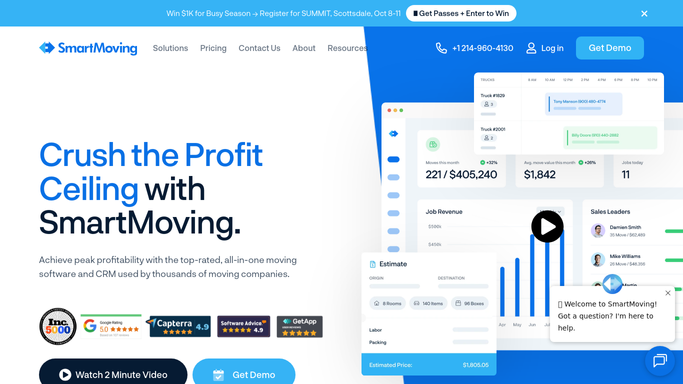
WebRun opens SmartMoving to read last week's bookings and revenue data. - Open SmartMoving and filter jobs to those booked or completed in the previous 7 days
- Count total new bookings, total completed moves, and total cancelled jobs
- Sum the total revenue from completed moves and average revenue per job
- Calculate the lead-to-booking conversion rate from the leads received last week
- Note the top 3 routes or service types by revenue for the week
Done when Last week's bookings, revenue, conversion rate, and top service data are compiled.
-
2
Google Sheets - log weekly figures to running report
google.com How to Automate Google Sheets

WebRun opens Google Sheets to log weekly figures to running report. - Open the weekly bookings and revenue tracking Google Sheet
- Append a new row for the week with date range, total bookings, total revenue, average job value, conversion rate, and cancellations
- Update any running totals or trend charts in the sheet
Done when Last week's figures are logged in the Google Sheet and running totals are updated.
-
3
Slack - post weekly summary to management channel
slack.com How to Automate Slack

WebRun opens Slack to post weekly summary to management channel. - Post a concise weekly summary to the management Slack channel
- Include total new bookings, total revenue, average job value, conversion rate, and week-over-week change
- Highlight the top 3 routes or service types by revenue
- Note any significant drop or spike compared to the prior week
- Post automatically since this is an internal management report with no customer data
Done when The management team has a complete weekly bookings and revenue summary in Slack.
How is each run configured?
Secure by default
Connect once, stays signed in
WebRun signs in once and keeps each session in a persistent environment, so every run picks up right where it left off.
Every action is checked against this policy before it runs.
Questions, answered
Does it send any data outside the company or to customers?
No. This is a purely internal report posted to your management Slack channel and logged in your Google Sheet. No customer data is shared externally.
Can it include data from storage units and not just move bookings?
Yes. You can extend the workflow to pull storage unit billing totals from Elromco or Supermove and include them in the weekly revenue summary alongside move bookings.
How far back does it look when calculating last week's figures?
It reads the prior 7 calendar days each Monday. You can adjust the window to match your business week, such as Friday to Thursday if that is how your team measures performance.
Related templates
Put this on autopilot.
Turn it on in minutes - or have our team set it up for you.