Book in-home surveys the moment a lead asks for one
When a new survey request lands in SmartMoving, WebRun reads the prospect's availability, finds the next open slot on your surveyor's Google Calendar, drafts a confirmation email with the appointment time and prep instructions, and alerts your team in Slack.
- No credit card
- Under $0.01 per run
- Cancel anytime
How do I automatically schedule in-home moving surveys when a prospect requests one?
WebRun picks up new survey requests from SmartMoving within minutes, finds an available slot on the surveyor's Google Calendar, and drafts a confirmation email in Gmail with the appointment time and preparation notes. Your team reviews the draft and sends it. Prospects receive nothing until a human approves.
- Every survey request gets a proposed appointment drafted within minutes
- In-home and virtual survey requests are flagged separately for correct routing
- No appointment is confirmed to a prospect without a human reviewing the slot first
Built for moving companies · moving sales coordinators · relocation consultants
What does WebRun do on every run?
The exact actions WebRun takes, in order - in plain language, so you can adjust anything.
-
WebRun signs in and gets to work
Opens
app.smartmoving.comin a real browser with your saved login - no setup, no API keys. -
1
SmartMoving - read new survey request details
smartmoving.com
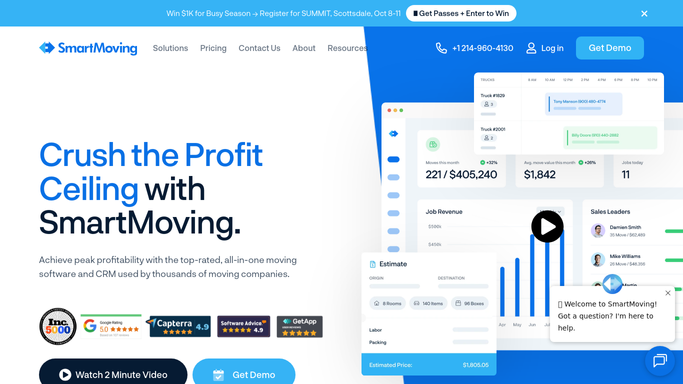
WebRun opens SmartMoving to read new survey request details. - Open SmartMoving and identify new leads that have requested a survey
- Capture the prospect's name, contact details, address, preferred dates, and move size estimate
- Note whether the request is for an in-home visit or a virtual survey
Done when Every new survey request is captured with the prospect's details and preferences.
-
2
Google Calendar - find next available surveyor slot
calendar.google.com How to Automate Google Calendar

WebRun opens Google Calendar to find next available surveyor slot. - Open Google Calendar and check the surveyor's availability against the prospect's preferred dates
- Find the earliest available 60-minute slot that fits the prospect's preferences
- Create a draft calendar hold on the surveyor's calendar with the prospect name and address
Done when A calendar slot is identified and a draft hold is created for the surveyor.
-
3
Gmail - draft appointment confirmation for review
gmail.com How to Automate Gmail

WebRun opens Gmail to draft appointment confirmation for review. - Draft a survey confirmation email to the prospect with the proposed appointment date, time, and duration
- Include the surveyor's name and the address to be surveyed for clarity
- Add a short list of what to prepare: access to all rooms, a list of large items, any known specialty items
- Leave the draft in Gmail for a team member to review and send
Done when A complete survey confirmation draft is ready in Gmail for team review.
-
4
Slack - alert team to new survey booking
slack.com How to Automate Slack

WebRun opens Slack to alert team to new survey booking. - Post a Slack notification to the sales channel with the new survey request details
- Include the prospect name, address, proposed slot, and a link to the Gmail draft
- Flag virtual survey requests separately from in-home visits for easy routing
Done when The sales team has a Slack alert with the proposed slot and a link to the draft to approve.
How is each run configured?
Secure by default
Connect once, stays signed in
WebRun signs in once and keeps each session in a persistent environment, so every run picks up right where it left off.
Every action is checked against this policy before it runs.
Questions, answered
Will it confirm the appointment directly with the prospect without my team checking first?
No. WebRun drafts the confirmation email and creates a calendar hold, but neither is confirmed to the prospect until a team member reviews and sends the draft.
Does it handle both in-home and virtual survey requests?
Yes. WebRun reads the request type from SmartMoving and flags virtual surveys separately in Slack so they can be routed to the right surveyor with a video link.
What if no slot is available on the prospect's preferred dates?
WebRun flags the conflict in Slack so your team can contact the prospect with alternatives. It never books a slot the prospect did not request without human involvement.
Related templates
Put this on autopilot.
Turn it on in minutes - or have our team set it up for you.