Keep every customer move-ready with timely reminders
Every morning, WebRun checks SmartMoving for moves scheduled in the next 7 days, drafts a tailored pre-move reminder email for each customer with a checklist of what to prepare, and alerts your team in Slack to review and send.
- No credit card
- Under $0.01 per run
- Cancel anytime
How do I send pre-move reminders and checklists to customers automatically?
WebRun checks SmartMoving every morning for moves in the next 7 days and drafts a personalized pre-move email for each customer in Gmail. Each draft includes a preparation checklist, crew details, and outstanding balance. Your team reviews and sends every message before the customer sees it.
- Every customer receives a personalized checklist before their move day
- Moves with outstanding balances are flagged 48 hours out so payment is collected on time
- Operations teams start each day knowing exactly which moves are coming and which drafts need sending
Built for moving companies · relocation coordinators · moving operations teams
What does WebRun do on every run?
The exact actions WebRun takes, in order - in plain language, so you can adjust anything.
-
WebRun signs in and gets to work
Opens
app.smartmoving.comin a real browser with your saved login - no setup, no API keys. -
1
SmartMoving - find upcoming moves this week
smartmoving.com
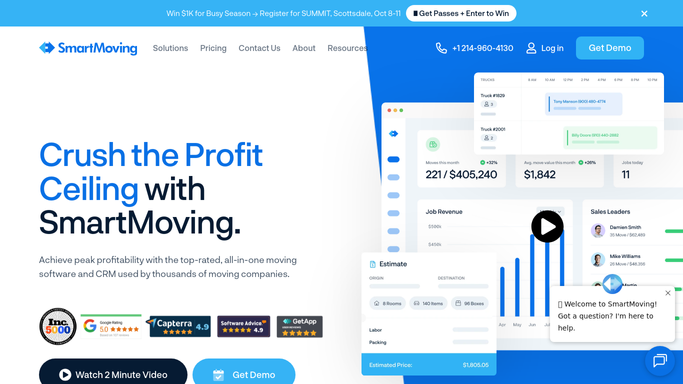
WebRun opens SmartMoving to find upcoming moves this week. - Open SmartMoving and filter jobs to moves scheduled within the next 7 days
- For each job, capture the customer name, move date, origin address, destination address, crew lead, and outstanding balance
- Note any special items such as pianos, safes, or fragile artwork requiring extra preparation
- Skip any customer who already received a pre-move reminder this week
Done when Every upcoming move is listed with its customer details and special requirements.
-
2
Gmail - draft personalized reminder with checklist
gmail.com How to Automate Gmail

WebRun opens Gmail to draft personalized reminder with checklist. - Draft a pre-move reminder email addressed to the customer by name
- Include move date, crew lead name, arrival window, and outstanding balance due
- Add a preparation checklist: confirm parking clearance, book elevator if needed, pack an essentials box, label all boxes by room, disconnect appliances the night before
- Flag any special items in the checklist so the customer knows extra prep is needed
- Leave every email as a draft in Gmail for team review before sending
Done when A personalized pre-move reminder draft is ready in Gmail for every upcoming move.
-
3
Slack - notify team to review drafts
slack.com How to Automate Slack

WebRun opens Slack to notify team to review drafts. - Post a daily summary to the operations channel listing moves in the next 7 days
- List which reminder drafts are ready for review in Gmail
- Flag any moves within 48 hours that still have an outstanding balance
Done when The operations team has today's upcoming-move summary and knows which drafts to send.
How is each run configured?
Secure by default
Connect once, stays signed in
WebRun signs in once and keeps each session in a persistent environment, so every run picks up right where it left off.
Every action is checked against this policy before it runs.
Questions, answered
Will it send reminder emails to customers automatically?
No. Every reminder is drafted in Gmail and waits for a team member to review and send. Customers receive nothing until a human approves it.
How far in advance does WebRun draft the reminders?
WebRun flags moves in the next 7 days each morning. You can adjust the window to 3 or 14 days to match your workflow.
What if a customer has a balance due before the move?
Moves with an outstanding balance are flagged in the Slack summary so your team can follow up on payment before move day, reducing day-of friction.
Related templates
Put this on autopilot.
Turn it on in minutes - or have our team set it up for you.