Get final balances paid before the truck arrives
Every morning, WebRun checks SmartMoving for moves in the next 48 hours with an outstanding balance, creates a Stripe payment link, drafts a final balance reminder email for team review, and posts a Slack alert so your team can approve and send before move day.
- No credit card
- Under $0.01 per run
- Cancel anytime
How do I automatically remind moving customers to pay their final balance before move day?
WebRun checks SmartMoving every morning for moves within 48 hours that still have an outstanding balance, creates a Stripe payment link for each remaining amount, and drafts a final balance reminder email in Gmail. Your team reviews every draft before it reaches the customer, keeping crews free from doorstep payment collection.
- Outstanding balances are flagged and drafted 48 hours before every move
- Crews arrive knowing payment has been handled in advance
- Customers who settle early are automatically removed from the reminder list
Built for moving companies · moving finance teams · dispatch coordinators
What does WebRun do on every run?
The exact actions WebRun takes, in order - in plain language, so you can adjust anything.
-
WebRun signs in and gets to work
Opens
app.smartmoving.comin a real browser with your saved login - no setup, no API keys. -
1
SmartMoving - find moves with an outstanding balance
smartmoving.com
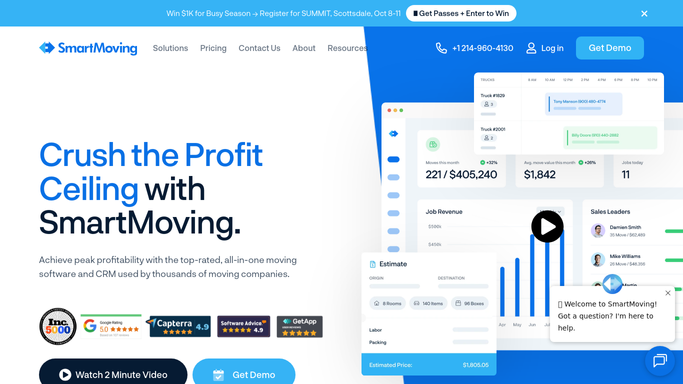
WebRun opens SmartMoving to find moves with an outstanding balance. - Open SmartMoving and filter upcoming jobs to those with a move date within the next 48 hours
- Identify jobs where the final balance has not been paid in full
- Capture customer name, email, move date, total job value, deposit paid, and remaining balance
- Skip any customer who already received a final balance reminder today
Done when Every move within 48 hours that has an outstanding balance is listed with its payment details.
-
2
Stripe - create final payment link
stripe.com How to Automate Stripe

WebRun opens Stripe to create final payment link. - Create a Stripe payment link for the exact remaining balance amount
- Label the link with the customer name and job number so reconciliation is easy
- Capture the payment link URL for the reminder email
Done when A Stripe payment link for the remaining balance exists for every qualifying move.
-
3
Gmail - draft final balance reminder for review
gmail.com How to Automate Gmail

WebRun opens Gmail to draft final balance reminder for review. - Draft a friendly but clear final balance reminder email to each customer
- Include the move date, total charged, deposit paid, and exact amount still due
- Embed the Stripe payment link so the customer can settle the balance in one click
- Note the accepted payment methods if relevant to the job
- Leave every draft in Gmail for a team member to approve before sending
Done when A final balance reminder draft is in Gmail for every move with an outstanding amount due within 48 hours.
-
4
Slack - alert team to unpaid balances
slack.com How to Automate Slack

WebRun opens Slack to alert team to unpaid balances. - Post a list of upcoming moves with outstanding balances to the finance channel
- Sort by move date with the soonest jobs at the top
- Flag any balance over a threshold amount as high priority for immediate review
Done when The finance team has a prioritized list of outstanding balances to action today.
How is each run configured?
Secure by default
Connect once, stays signed in
WebRun signs in once and keeps each session in a persistent environment, so every run picks up right where it left off.
Every action is checked against this policy before it runs.
Questions, answered
Will it send the final balance reminder to customers without my approval?
No. Every reminder is drafted in Gmail and held for a team member to review before anything is sent to the customer.
What if the customer pays after the draft is created but before it is sent?
WebRun re-reads SmartMoving on the next run. If the balance is now cleared, the booking is removed from the Slack list. Discard any unsent draft to avoid sending an unnecessary reminder.
Can it send reminders for any outstanding balance, not just 48-hour jobs?
Yes. The 48-hour window is the default focus, but you can set the window to 3 or 7 days to catch balances earlier and give customers more time to pay.
Related templates
Put this on autopilot.
Turn it on in minutes - or have our team set it up for you.