Turn new hearing test bookings into ready appointments
Every few minutes, WebRun opens Auditdata Manage, reads new online hearing test bookings, adds each one to the right clinic calendar in Google Calendar, and drafts a confirmation text in Twilio that your front desk approves before it reaches the patient.
- No credit card
- Under $0.01 per run
- Cancel anytime
How do I automatically turn new hearing test bookings into confirmed appointments?
WebRun checks Auditdata Manage every few minutes for new hearing test bookings, then creates each appointment on the correct clinician's Google Calendar. It drafts a friendly confirmation text in Twilio and leaves it queued, so your front desk approves every message before it reaches a patient and no booking is missed.
- New bookings land on the right clinician's calendar within minutes
- Every confirmation text is reviewed by staff before it reaches a patient
- Duplicate appointments are avoided because live calendar state is checked each run
Built for hearing aid clinics · audiology practices · multi location hearing centers · front desk teams
What does WebRun do on every run?
The exact actions WebRun takes, in order - in plain language, so you can adjust anything.
-
WebRun signs in and gets to work
Opens
www.auditdata.comin a real browser with your saved login - no setup, no API keys. -
1
Auditdata Manage - read new hearing test bookings
auditdata.com How to Automate Auditdata Manage
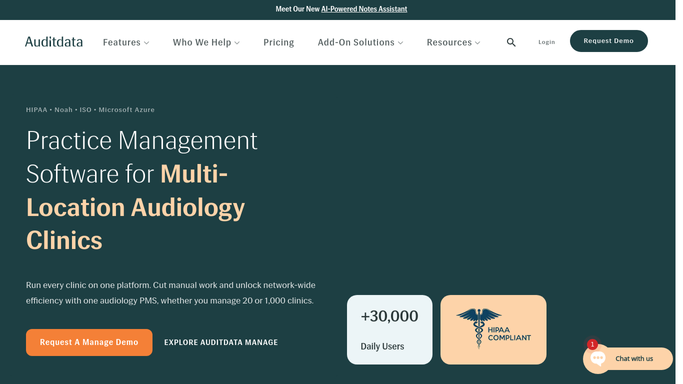
WebRun opens Auditdata Manage to read new hearing test bookings. - Open Auditdata Manage and go to the scheduling view for each clinic location
- Find hearing test bookings created since the last run that are not yet confirmed
- Capture the patient name, contact number, clinic, clinician, appointment type, date, and time
- Note any intake questions or reason for visit attached to the booking
Done when Every new hearing test booking is captured with its patient, clinic, and time.
-
2
Google Calendar - create the clinic appointment
calendar.google.com How to Automate Google Calendar

WebRun opens Google Calendar to create the clinic appointment. - Open the calendar for the matching clinic and clinician
- Create an appointment event at the booked date and time with a clear title and the patient initials
- Add the appointment type, location, and any intake notes to the event description
- Skip creating a duplicate if an event for this booking already exists
Done when Each new booking has a calendar event on the correct clinician's calendar.
-
3
Twilio - draft the confirmation text
twilio.com How to Automate Twilio

WebRun opens Twilio to draft the confirmation text. - Draft a short, friendly confirmation text with the clinic name, date, time, and address
- Include what to bring and how to reschedule
- Queue the message in Twilio but leave it unsent for the front desk to approve
- Never text a patient automatically. A staff member releases each confirmation
Done when A confirmation text is drafted and waiting for staff approval for every new booking.
How is each run configured?
Secure by default
Connect once, stays signed in
WebRun signs in once and keeps each session in a persistent environment, so every run picks up right where it left off.
Every action is checked against this policy before it runs.
Questions, answered
Will it text patients without my approval?
No. WebRun drafts each confirmation text in Twilio and leaves it queued. A staff member reviews and releases it, so nothing reaches a patient until a human approves it.
How does it avoid double booking the calendar?
It checks the clinician's Google Calendar for an existing event tied to the same booking before creating one, so a repeated run never adds a duplicate appointment.
Does it handle multiple clinic locations?
Yes. It reads bookings across every location in Auditdata Manage and files each event on the correct clinic and clinician calendar so multi site schedules stay accurate.
Related templates
Put this on autopilot.
Turn it on in minutes - or have our team set it up for you.