Win back patients due for batteries and supplies
Every Monday, WebRun opens Auditdata Manage, finds patients whose last battery or supply purchase means they are likely running low, builds a targeted reorder audience in Google Sheets, and drafts a reactivation campaign in Mailchimp that staff approve before it is sent.
- No credit card
- Under $0.01 per run
- Cancel anytime
How do I win back hearing aid patients who are due to reorder supplies?
WebRun reviews purchase history in Auditdata Manage every Monday and finds patients likely running low on hearing aid batteries, domes, and wax guards. It builds a grouped audience in Google Sheets and drafts a reorder campaign in Mailchimp, leaving it unsent so staff approve every message before patients receive it.
- Patients get a timely reorder nudge before they run out of supplies
- Every campaign is reviewed by staff before it is sent
- Recurring supply revenue grows without manual list building each week
Built for hearing aid retailers · audiology practices · clinic marketing teams · practice owners
What does WebRun do on every run?
The exact actions WebRun takes, in order - in plain language, so you can adjust anything.
-
WebRun signs in and gets to work
Opens
www.auditdata.comin a real browser with your saved login - no setup, no API keys. -
1
Auditdata Manage - find patients due for supplies
auditdata.com How to Automate Auditdata Manage
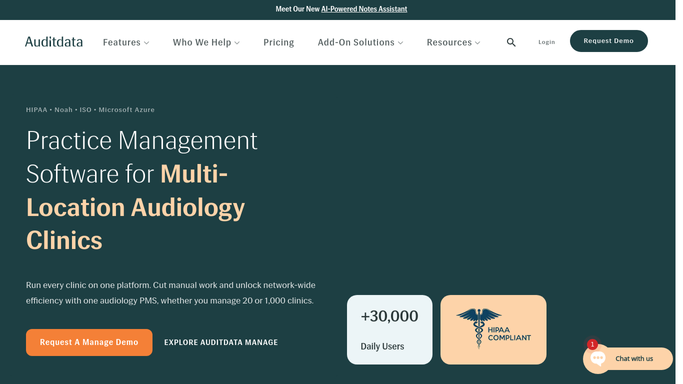
WebRun opens Auditdata Manage to find patients due for supplies. - Open Auditdata Manage and review patient purchase and dispensing history
- Find patients whose last battery, dome, or wax guard purchase suggests they are now running low
- Exclude anyone who bought supplies or had a visit in the past 60 days
- Capture patient initials, device model, battery size or supply type, and last purchase date
Done when Every patient likely due for a supply reorder is listed with their supply type.
-
2
Google Sheets - build the reorder audience
google.com How to Automate Google Sheets

WebRun opens Google Sheets to build the reorder audience. - Open the Supply Reorder Audience sheet
- Add a row per patient with initials, device, supply type, battery size, and last purchase date
- Group rows by supply type so messaging can be tailored
- Flag the audience segment each patient belongs to for the campaign
Done when The reorder audience is built and grouped by supply type.
-
3
Mailchimp - draft the reactivation campaign
mailchimp.com How to Automate Mailchimp

WebRun opens Mailchimp to draft the reactivation campaign. - Draft a friendly reorder reminder campaign in Mailchimp for the supply audience
- Personalize the supply type and offer an easy way to reorder or book a visit
- Save the campaign as a draft and do not schedule or send it
- Never send the campaign automatically. A staff member reviews and sends it
Done when A reorder campaign is drafted in Mailchimp and left unsent for staff approval.
How is each run configured?
Secure by default
Connect once, stays signed in
WebRun signs in once and keeps each session in a persistent environment, so every run picks up right where it left off.
Every action is checked against this policy before it runs.
Questions, answered
Will it send the campaign without me?
No. WebRun saves the reorder campaign as a Mailchimp draft and never schedules or sends it. A staff member reviews the audience and the copy, then sends it when ready.
How does it decide who is running low?
It reads each patient's last battery or supply purchase date in Auditdata Manage and estimates when typical usage runs out, excluding anyone who bought supplies in the past 60 days.
Can it tailor the message by battery size or supply?
Yes. It groups the audience by supply type and battery size in Google Sheets so your reorder campaign can speak to each patient's exact devices and needs.
Related templates
Put this on autopilot.
Turn it on in minutes - or have our team set it up for you.