Remind trial patients before the return window closes
Every morning, WebRun opens Auditdata Manage, finds hearing aid trials whose return window closes in the next few days, drafts a warm check in email for each patient in Gmail, and logs a review queue in Google Sheets so staff approve every message before it is sent.
- No credit card
- Under $0.01 per run
- Cancel anytime
How do I remind hearing aid trial patients before their return window closes?
WebRun reviews your hearing aid trials in Auditdata Manage every morning and finds patients whose return window closes within five days. It drafts a warm check in email in Gmail for each one and logs a sorted review queue in Google Sheets, so staff approve every message before it is sent and no trial deadline slips by unnoticed.
- No trial return deadline passes without a timely check in
- Every patient email is reviewed by staff before it is sent
- Higher trial to purchase conversion because fittings get adjusted in time
Built for hearing aid clinics · audiology practices · dispensing audiologists · patient care coordinators
What does WebRun do on every run?
The exact actions WebRun takes, in order - in plain language, so you can adjust anything.
-
WebRun signs in and gets to work
Opens
www.auditdata.comin a real browser with your saved login - no setup, no API keys. -
1
Auditdata Manage - find trials near the return deadline
auditdata.com How to Automate Auditdata Manage
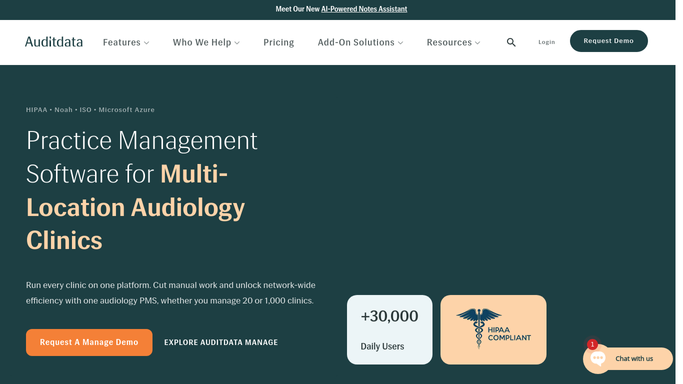
WebRun opens Auditdata Manage to find trials near the return deadline. - Open Auditdata Manage and review active hearing aid trials and fittings
- Calculate each trial's return window end date from the dispense or fitting date
- Capture patients whose return window closes within the next 5 days
- Note the patient initials, device model, fitting clinician, and days left in the window
Done when Every trial closing its return window this week is listed with days remaining.
-
2
Gmail - draft a check in email
gmail.com How to Automate Gmail

WebRun opens Gmail to draft a check in email. - Draft a warm, on brand check in email for each trial patient
- Ask how the devices are working and offer a fine tuning visit before the window closes
- Leave every email as an unsent draft in Gmail for staff to review
- Never email a patient automatically. A staff member sends each one after reading it
Done when A check in email is drafted and left unsent for every trial nearing its deadline.
-
3
Google Sheets - log the review queue
google.com How to Automate Google Sheets

WebRun opens Google Sheets to log the review queue. - Open the Trial Review Queue sheet
- Add a row per patient with initials, device, clinician, window end date, and days left
- Sort by days left so the closest deadlines sit at the top
- Mark which drafts are ready for staff to review and send
Done when The review queue is current and sorted by how soon each return window closes.
How is each run configured?
Secure by default
Connect once, stays signed in
WebRun signs in once and keeps each session in a persistent environment, so every run picks up right where it left off.
Every action is checked against this policy before it runs.
Questions, answered
Will it email patients before I approve?
No. WebRun leaves every check in email as an unsent Gmail draft. A staff member reads and sends each one, so no patient is contacted until a human approves the message.
How does it know when a return window closes?
It reads each trial's dispense or fitting date in Auditdata Manage and counts forward to the return window end date, flagging anyone within five days of that deadline.
What if a patient already returned or purchased?
It reads live trial status in Auditdata Manage each morning, so patients who already returned devices or completed a purchase are skipped from that day's queue.
Related templates
Put this on autopilot.
Turn it on in minutes - or have our team set it up for you.