Capture grooming requests without missing a beat
When a new booking request arrives in MoeGo, WebRun reads the pet name, owner, service, and appointment time, logs the row to Google Sheets, and pings the front desk in Slack so someone can confirm the slot right away.
- No credit card
- Under $0.01 per run
- Cancel anytime
How do I automatically log new dog grooming bookings?
WebRun monitors MoeGo for new grooming booking requests and, each time one arrives, logs the pet name, owner contact, service, and appointment details into Google Sheets and pings the front-desk Slack channel. The result is a running intake log and instant alert, so no request waits unacknowledged.
- Every booking request is logged and visible in seconds, not minutes
- Front desk gets an instant Slack alert with full booking details
- No request sits unacknowledged in the MoeGo queue
Built for dog grooming salons · mobile groomers · pet spas · grooming shop owners
What does WebRun do on every run?
The exact actions WebRun takes, in order - in plain language, so you can adjust anything.
-
WebRun signs in and gets to work
Opens
moego.petin a real browser with your saved login - no setup, no API keys. -
1
MoeGo - read new booking request
moego.pet How to Automate MoeGo
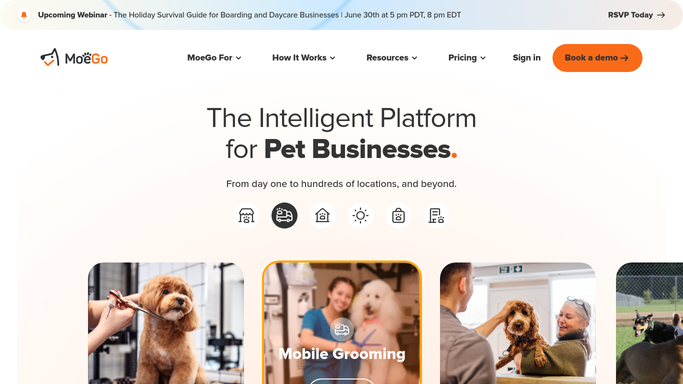
WebRun opens MoeGo to read new booking request. - Open MoeGo and check the Booking Requests queue for new submissions
- Capture the pet name, breed, owner contact, requested service, and preferred appointment time
- Note any add-ons or groomer preferences left by the client
Done when Every new booking request has been read with its full details.
-
2
Google Sheets - log booking details
google.com How to Automate Google Sheets

WebRun opens Google Sheets to log booking details. - Open the grooming intake log in Google Sheets
- Append a new row with the pet name, owner name, phone, service, date, and request timestamp
- Mark the status column as Pending
Done when The new booking appears as a row in the intake log.
-
3
Slack - alert front desk
slack.com How to Automate Slack

WebRun opens Slack to alert front desk. - Post a short alert to the front-desk Slack channel with the pet name, service, and requested time
- Include the owner contact so staff can confirm the booking immediately
Done when Front desk has received the alert and can confirm or adjust the slot.
How is each run configured?
Secure by default
Connect once, stays signed in
WebRun signs in once and keeps each session in a persistent environment, so every run picks up right where it left off.
Every action is checked against this policy before it runs.
Questions, answered
Will it confirm the appointment with the client automatically?
No. WebRun logs the request and alerts your front desk, but leaves the confirmation to your team. All client-facing messages require a human to review and send.
What information does it capture from MoeGo?
Yes, it reads the pet name, breed, owner contact, requested service, groomer preference, and any add-ons noted in the booking request.
Does it update the booking status in MoeGo?
Not automatically. It reads the request and logs it to Sheets. Your staff confirms the slot in MoeGo, keeping the source of truth accurate.
Related templates
Put this on autopilot.
Turn it on in minutes - or have our team set it up for you.