Chase clients for outstanding financial documents before month-end close
Before month-end close, WebRun checks Fathom and your Google Sheet tracker to identify which clients have not yet submitted their bank statements, expense reports, or payroll files. It drafts a polite chase email in Gmail for each outstanding client and sends your team an internal Telegram alert so nothing falls through the cracks.
- No credit card
- Under $0.01 per run
- Cancel anytime
How can I automatically chase fractional CFO clients for missing financial documents before month-end?
WebRun checks Fathom and your Google Sheet tracker before month-end to identify clients with outstanding bank statements, payroll files, or expense reports. It drafts a specific chase email in Gmail for each client and sends your team an internal Telegram alert with the full outstanding list, so every document gap is caught before the close deadline.
- Missing client documents are flagged before they delay the month-end close
- Chase emails are drafted and ready to send without any manual composition
- Your team gets an internal alert so everyone knows what is still outstanding
Built for fractional CFOs · outsourced finance teams · CFO advisory practices · bookkeeping and accounting firms
What does WebRun do on every run?
The exact actions WebRun takes, in order - in plain language, so you can adjust anything.
-
WebRun signs in and gets to work
Opens
app.fathomhq.comin a real browser with your saved login - no setup, no API keys. -
1
Fathom - check client data freshness and gaps
fathomhq.com How to Automate Fathom
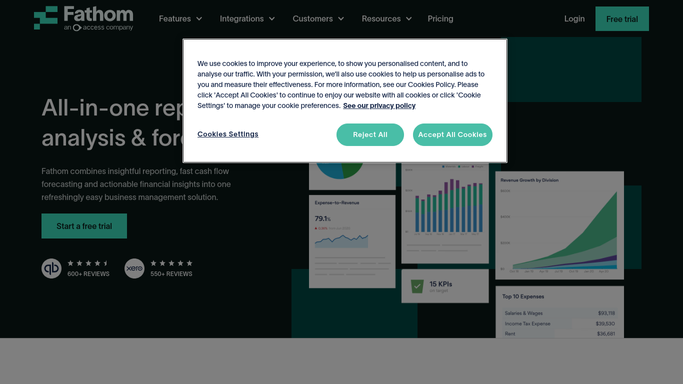
WebRun opens Fathom to check client data freshness and gaps. - Open each client organisation in Fathom and check the last successful data sync date
- Flag any client whose data has not synced in the last five business days
- Note which document types are likely missing based on the sync gap
Done when Every client with a data gap or stale sync is identified and flagged.
-
2
Google Sheets - identify clients with outstanding documents
google.com How to Automate Google Sheets

WebRun opens Google Sheets to identify clients with outstanding documents. - Open the document-collection tracker sheet for this month
- Check each client row for outstanding items, including bank statements, payroll files, and expense reports
- Update the status column to Chased Today for any client who will receive a follow-up this run
Done when The tracker reflects which clients need a chase today and which are already up to date.
-
3
Gmail - draft chase email for each outstanding client
gmail.com How to Automate Gmail

WebRun opens Gmail to draft chase email for each outstanding client. - Draft a polite, specific chase email for each outstanding client naming the exact documents needed
- Reference the close deadline and the impact of late documents on report timing
- Leave every draft unsent in Gmail for your review before sending
Done when An unsent Gmail chase email draft exists for every client with outstanding documents.
-
4
Telegram - alert team to outstanding document list
telegram.org How to Automate Telegram

WebRun opens Telegram to alert team to outstanding document list. - Send an internal Telegram message to your team channel listing every client with outstanding documents
- Include the specific document type and the number of days until the close deadline
- This message is internal only and does not go to clients
Done when Your team has an internal Telegram alert with the full outstanding-document list.
How is each run configured?
Secure by default
Connect once, stays signed in
WebRun signs in once and keeps each session in a persistent environment, so every run picks up right where it left off.
Every action is checked against this policy before it runs.
Questions, answered
Will it send the chase emails to clients automatically?
No. Every client-facing chase email is saved as an unsent Gmail draft for you to review before sending. Only the internal Telegram team alert is posted automatically.
How does it know which documents are missing?
It checks two sources: the Fathom data-sync status for each client and the document-collection tracker in Google Sheets, where your team logs what has been received.
Can I adjust the list of required documents per client?
Yes. Each client's required document list is configured in the Google Sheet tracker during setup, and WebRun only chases for the items specific to that client.
Related templates
Put this on autopilot.
Turn it on in minutes - or have our team set it up for you.