Start every delivery day with a clear run sheet
Each morning, WebRun opens Floranext, reads all orders scheduled for today's delivery, groups them by zone or route, and posts a structured run sheet to Slack so drivers have everything they need before they leave the shop.
- No credit card
- Under $0.01 per run
- Cancel anytime
How do I automatically generate a daily flower delivery route sheet for my drivers?
WebRun reads every delivery order in Floranext each morning, groups them into route zones, and posts a structured run sheet to Slack for your drivers. Priority stops such as timed or sympathy orders are flagged at the top of each zone, so drivers leave organised and nothing is missed.
- Drivers leave with a complete, sequenced run sheet every morning
- Priority and timed stops are flagged automatically so nothing slips
- No manual route planning needed for standard daily delivery runs
Built for retail florists · flower shops with delivery · event florists · floral studio owners
What does WebRun do on every run?
The exact actions WebRun takes, in order - in plain language, so you can adjust anything.
-
WebRun signs in and gets to work
Opens
app.floranext.comin a real browser with your saved login - no setup, no API keys. -
1
Floranext - read today's delivery orders
floranext.com
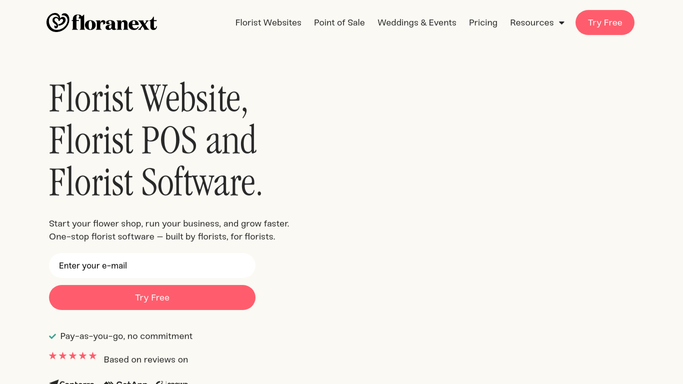
WebRun opens Floranext to read today's delivery orders. - Open Floranext and filter orders to those scheduled for today's delivery
- Capture recipient name, address, delivery time window, and any special instructions for each order
- Group orders into logical route zones based on delivery address
- Note any time-sensitive or funeral orders that need priority placement
Done when Every delivery order is listed, grouped by route zone, with all recipient and timing details.
-
2
Slack - post the run sheet to drivers
slack.com How to Automate Slack

WebRun opens Slack to post the run sheet to drivers. - Post the run sheet to the drivers Slack channel, organised by route zone
- List each stop in recommended sequence with address, recipient name, and time window
- Flag priority stops such as time-specific or sympathy orders at the top of each zone
Done when Drivers have a complete, sequenced run sheet in Slack before the first departure.
How is each run configured?
Secure by default
Connect once, stays signed in
WebRun signs in once and keeps each session in a persistent environment, so every run picks up right where it left off.
Every action is checked against this policy before it runs.
Questions, answered
Does it contact customers about their delivery?
No. The run sheet is an internal document posted to Slack for your drivers only. No messages are sent to customers.
How does it handle last-minute order changes?
WebRun reads Floranext at the time it runs each morning, so the sheet reflects whatever orders are in the system at that point. If orders change after the sheet is posted, you can rerun it manually.
Can it handle multiple drivers or routes?
Yes. Tell WebRun how many routes or drivers you run and it will split the order list into the right number of zones, each posted clearly in Slack.
Related templates
Put this on autopilot.
Turn it on in minutes - or have our team set it up for you.