Chase signed retention agreements and rate sheets
Every Monday, WebRun opens ExpertClear, finds engagements where the retention agreement or rate sheet is not yet signed, checks the live envelope status in DocuSign, and drafts a courteous chase email in Gmail, left unsent so you approve each nudge before it reaches the firm.
- No credit card
- Under $0.01 per run
- Cancel anytime
How do I chase unsigned retention agreements from law firms automatically?
WebRun chases your unsigned retention paperwork every Monday. It opens ExpertClear to find engagements missing a signed agreement or rate sheet, checks the live envelope status in DocuSign, and drafts a tailored chase email in Gmail for each firm. Every email stays unsent, so you approve each nudge before it is sent.
- Unsigned retention agreements get chased every week without you tracking envelopes by hand
- Chase emails are drafted and matched to live DocuSign status, never sent without approval
- Completed agreements drop off the list automatically, so no firm is nagged twice
Built for expert witnesses · litigation consultants · expert practice managers · solo expert practices
What does WebRun do on every run?
The exact actions WebRun takes, in order - in plain language, so you can adjust anything.
-
WebRun signs in and gets to work
Opens
app.expertclear.comin a real browser with your saved login - no setup, no API keys. -
1
ExpertClear - find engagements missing signed paperwork
expertclear.com How to Automate ExpertClear
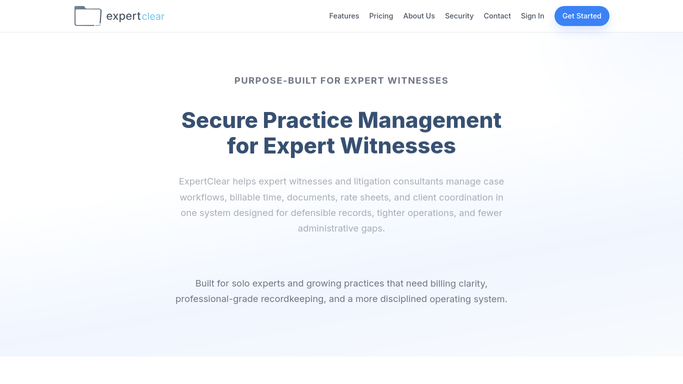
WebRun opens ExpertClear. - Open ExpertClear and list engagements activated without a signed retention agreement or rate sheet on file
- Capture the firm, the billing contact, and how many days the paperwork has been outstanding
- Skip any engagement already marked fully executed
Done when Every engagement missing signed retention paperwork is listed with its firm and age.
-
2
DocuSign - check envelope signature status
docusign.com How to Automate DocuSign

WebRun opens DocuSign. - Open DocuSign and look up the retention agreement envelope for each listed engagement
- Read whether it is sent, viewed, partially signed, or completed
- Note the exact status so the chase reflects reality, not a stale record
Done when Each outstanding engagement has its live DocuSign signature status recorded.
-
3
Gmail - draft the chase email
gmail.com How to Automate Gmail

WebRun opens Gmail. - Draft a polite chase email to the billing contact referencing the specific document still outstanding
- Match the tone to the DocuSign status, a gentle reminder for unopened envelopes, a nudge for partially signed ones
- Leave every email unsent as a draft so you review and approve it before it goes out
Done when A tailored chase email is drafted in Gmail for each unsigned engagement, awaiting your approval.
How is each run configured?
Secure by default
Connect once, stays signed in
WebRun signs in once and keeps each session in a persistent environment, so every run picks up right where it left off.
Every action is checked against this policy before it runs.
Questions, answered
Will it email firms without my approval?
No. WebRun drafts every chase email in Gmail and leaves it unsent. You read each one and approve it before it reaches the billing contact, so nothing goes out on its own.
How does it know the paperwork is still unsigned?
It checks the live envelope status in DocuSign each run, so an agreement that was completed over the weekend is recognized as signed and dropped from the chase list automatically.
What does the chase email say?
A short, professional reminder naming the specific document outstanding and matched to its DocuSign status. Give WebRun a tone or a sample and it will mirror your usual voice with the firm.
Related templates
Put this on autopilot.
Turn it on in minutes - or have our team set it up for you.