See which staff members are driving the most throughput each week
Every Monday, WebRun opens CleanCloud, reads last week's order processing activity by staff member, calculates orders handled and revenue attributed to each, and posts a clear weekly productivity digest to the management Slack channel for review.
- No credit card
- Under $0.01 per run
- Cancel anytime
How do I get a weekly staff productivity report from CleanCloud automatically?
WebRun reads CleanCloud's staff activity data every Monday morning and posts a weekly productivity digest to your management Slack channel, listing each team member's order count and revenue contribution for the previous week. Top performers are highlighted and anyone well below the team average is flagged for review.
- Managers review team throughput every Monday without logging into CleanCloud
- Top performers are recognised and underperformers are identified automatically
- Weekly rhythm replaces ad-hoc check-ins and manual report pulling
Built for dry cleaning managers · laundromat owners · multi-staff garment care businesses · dry cleaning franchise operators
What does WebRun do on every run?
The exact actions WebRun takes, in order - in plain language, so you can adjust anything.
-
WebRun signs in and gets to work
Opens
app.cleancloudapp.comin a real browser with your saved login - no setup, no API keys. -
1
CleanCloud - read last week's orders and activity by staff member
cleancloudapp.com How to Automate CleanCloud
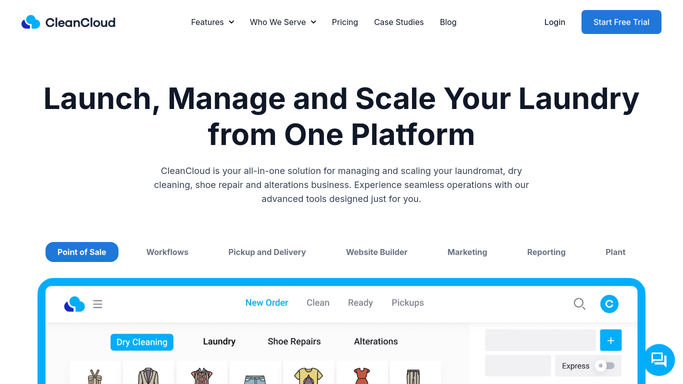
WebRun opens CleanCloud to read last week's orders and activity by staff member. - Open CleanCloud and navigate to the staff activity or reporting section
- Filter the previous 7 days of order activity and group results by staff member
- Capture orders processed, revenue attributed, and any notable metrics such as average order value per team member
Done when Last week's order and revenue totals are captured per staff member.
-
2
Slack - post weekly staff productivity digest to management channel
slack.com How to Automate Slack

WebRun opens Slack to post weekly staff productivity digest to management channel. - Post the weekly staff productivity report to the management Slack channel
- List each team member with their order count and revenue contribution for the week
- Highlight the top performer and flag anyone significantly below the team average
Done when Management has last week's staff productivity digest in Slack before the Monday morning meeting.
How is each run configured?
Secure by default
Connect once, stays signed in
WebRun signs in once and keeps each session in a persistent environment, so every run picks up right where it left off.
Every action is checked against this policy before it runs.
Questions, answered
Does it show individual staff names in Slack?
Yes. The report lists each team member's name, order count, and revenue contribution for the week. Keep the Slack channel management-only if you prefer to discuss it privately before sharing with staff.
What if a staff member had no activity that week?
WebRun includes all staff with a CleanCloud account. Anyone with zero activity for the week appears with a zero count so absences or scheduling gaps are visible.
Can this replace my payroll calculation?
No. This is a throughput digest for management review, not a payroll tool. Use the CleanCloud reports section or your payroll software for official calculations.
Related templates
Put this on autopilot.
Turn it on in minutes - or have our team set it up for you.