Win back lapsed customers with a personalised return offer
Every Monday, WebRun opens CleanCloud, identifies customers with no orders in the past 90 days, and drafts a personalised win-back email campaign in Mailchimp for each segment for your team to review and send before any message reaches a customer.
- No credit card
- Under $0.01 per run
- Cancel anytime
What does WebRun do on every run?
The exact actions WebRun takes, in order - in plain language, so you can adjust anything.
-
WebRun signs in and gets to work
Opens
app.cleancloudapp.comin a real browser with your saved login - no setup, no API keys. -
1
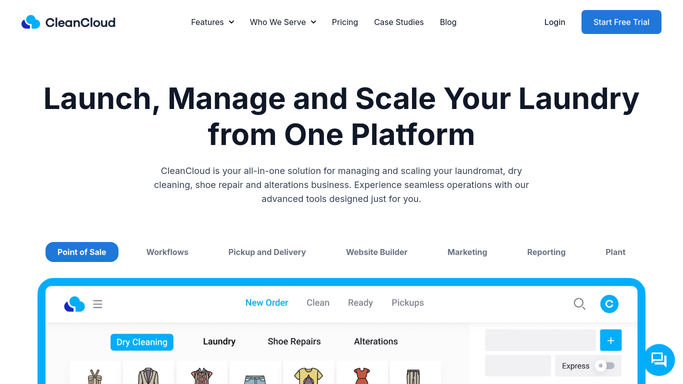
CleanCloud - identify customers with no orders in 90+ days
cleancloudapp.com How to Automate CleanCloud

WebRun opens CleanCloud to identify customers with no orders in 90+ days. - Open CleanCloud and filter the customer list to those whose last order date is more than 90 days ago
- Capture customer names, email addresses, last service type, and last visit date
- Exclude customers who have already received a win-back email in the last 180 days
Done when All lapsed customers who are eligible for a win-back contact are listed with their last service and contact details.
-
2
Mailchimp - draft win-back email campaign for review
mailchimp.com How to Automate Mailchimp
WebRun opens Mailchimp to draft win-back email campaign for review. - Create a draft campaign in Mailchimp targeting the lapsed customer segment
- Draft the email copy referencing the customer's last service type and a return incentive such as a discount
- Save the campaign as a draft for the owner to review and schedule before it is sent
Done when A Mailchimp draft win-back campaign is ready for owner review before any email is sent to customers.

How do I automatically win back lapsed dry cleaning customers?
WebRun checks CleanCloud every Monday for customers with no orders in 90 or more days, then drafts a personalised win-back email campaign in Mailchimp referencing each customer's last service. The campaign waits in draft for owner approval before any email is sent, so lapsed customers are re-engaged thoughtfully rather than blasted automatically.
- Lapsed customers are re-engaged with a relevant, personalised offer each week
- No win-back email goes out without owner review and approval
- Customers messaged recently are excluded automatically to prevent over-contact
Built for dry cleaners · laundromats · garment care businesses · dry cleaning franchise owners
How is each run configured?
Secure by default
Connect once, stays signed in
WebRun signs in once and keeps each session in a persistent environment, so every run picks up right where it left off.
Every action is checked against this policy before it runs.
Questions, answered
Will it send the win-back email to customers without my approval?
No. The Mailchimp campaign is saved as a draft and only sent after the owner reviews and approves it. No customer receives anything without explicit sign-off.
How does it decide what offer to include?
You supply WebRun with your preferred win-back incentive such as a percentage discount or free item. It includes that offer in every draft and references the customer's last service type to make it feel personal.
How does it avoid re-contacting recently messaged lapsed customers?
WebRun excludes any customer who received a win-back email in the last 180 days, so the campaign only reaches people who have not been targeted recently.
Related templates
Put this on autopilot.
Turn it on in minutes - or have our team set it up for you.