Start every dispatch day with a full container status digest
Every morning, WebRun opens PortPro, counts loads by status (available, dispatched, in-progress, unloaded, returned), flags containers with LFD or per-diem risk, summarizes open driver assignments, and posts the full dispatch digest to your operations Slack channel.
- No credit card
- Under $0.01 per run
- Cancel anytime
How do I get an automatic daily dispatch digest from PortPro each morning?
WebRun opens PortPro every morning, tallies all active loads by status, flags containers with last-free-day or per-diem risk, and posts a structured Slack digest to the operations channel so your dispatch team starts the day with a full picture in under a minute.
- Dispatch team opens Slack to a full operations picture every morning
- LFD and per-diem risks surface before the first driver leaves the yard
- No more morning scramble pulling status from PortPro manually
Built for drayage dispatchers · port trucking managers · drayage operations teams · intermodal logistics coordinators
What does WebRun do on every run?
The exact actions WebRun takes, in order - in plain language, so you can adjust anything.
-
WebRun signs in and gets to work
Opens
app.portpro.ioin a real browser with your saved login - no setup, no API keys. -
1
PortPro - compile load status and risk summary
portpro.io How to Automate PortPro
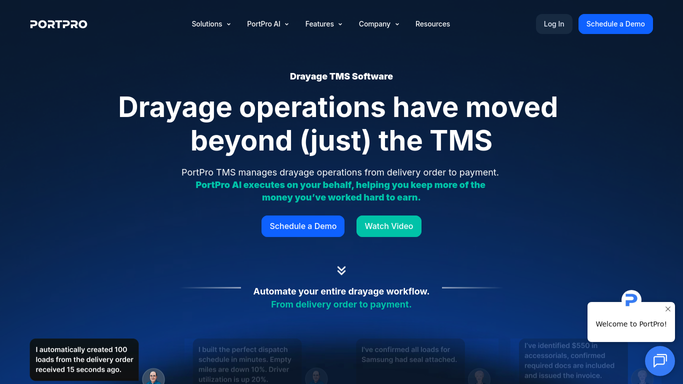
WebRun opens PortPro to compile load status and risk summary. - Open PortPro and count all active loads grouped by status
- Identify containers with LFD within 2 days or currently in per-diem
- List unassigned loads and any driver with no load for today
- Note any loads flagged with exceptions or holds
Done when A complete status and risk summary is ready covering all active loads.
-
2
Slack - post daily dispatch digest
slack.com How to Automate Slack

WebRun opens Slack to post daily dispatch digest. - Format the digest into a concise Slack message with status counts at the top
- List LFD-risk and per-diem containers next, sorted by urgency
- Post the digest to the dispatch operations channel
Done when Today's dispatch digest is live in the Slack operations channel.
How is each run configured?
Secure by default
Connect once, stays signed in
WebRun signs in once and keeps each session in a persistent environment, so every run picks up right where it left off.
Every action is checked against this policy before it runs.
Questions, answered
Can I customize which statuses appear in the digest?
Yes. Tell WebRun which PortPro statuses matter most to your team and it will include, exclude, or reorder sections to match your workflow.
Will it message drivers directly about their assignments?
No. The digest is an internal Slack post for the dispatch team only. Any driver-facing communication is handled separately and reviewed before it goes out.
What if PortPro has no active loads that morning?
WebRun posts a brief confirmation that no active loads are present, so your team knows the digest ran and the board is clear.
Related templates
Put this on autopilot.
Turn it on in minutes - or have our team set it up for you.