Capture every accessorial charge before you close the invoice
Every morning, WebRun opens PortPro, finds completed or in-progress loads where accessorial charges have been identified but not yet added to an invoice, and posts a billing worklist to your invoicing Slack channel so your team captures detention, chassis splits, and overweight fees before closing each invoice.
- No credit card
- Under $0.01 per run
- Cancel anytime
What does WebRun do on every run?
The exact actions WebRun takes, in order - in plain language, so you can adjust anything.
-
WebRun signs in and gets to work
Opens
app.portpro.ioin a real browser with your saved login - no setup, no API keys. -
1
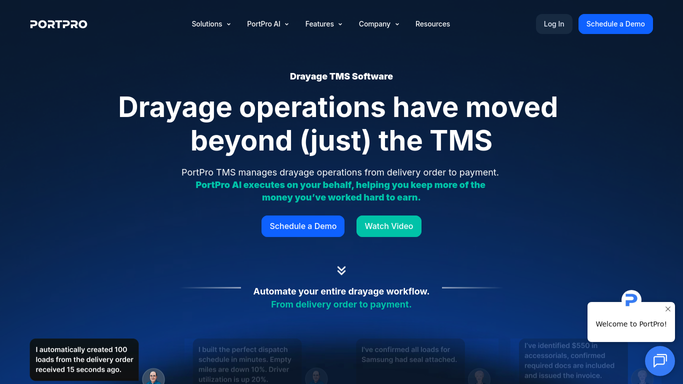
PortPro - find loads with unbilled accessorial charges
portpro.io How to Automate PortPro

WebRun opens PortPro to find loads with unbilled accessorial charges. - Open PortPro and filter loads to those with accessorial charges flagged but not invoiced
- Read the charge type, amount, load number, and customer for each unbilled accessorial
- Flag loads where the invoice has already been generated without the accessorial as urgent
Done when Every load with an unbilled accessorial is listed with charge type, amount, and invoice status.
-
2
Slack - post accessorial billing worklist to invoicing team
slack.com How to Automate Slack
WebRun opens Slack to post accessorial billing worklist to invoicing team. - Post the accessorial billing worklist to the invoicing Slack channel
- List loads where the invoice is already generated first as high priority
- Group remaining items by charge type for faster batch processing
Done when Invoicing team has today's accessorial billing worklist in Slack.

How do I automatically catch unbilled accessorial charges in PortPro before closing invoices?
WebRun opens PortPro every morning, finds every load with a flagged but unbilled accessorial charge such as detention, chassis splits, or overweight fees, and posts a ranked Slack worklist to your invoicing team so charges are added before invoices are closed and revenue is not left on the table.
- No accessorial charge missed at invoice close
- Invoices already generated without accessorials flagged as urgent for immediate correction
- Billing team works from a daily worklist instead of hunting through PortPro manually
Built for drayage carriers · port trucking billing teams · intermodal invoicing managers · container logistics accountants
How is each run configured?
Secure by default
Connect once, stays signed in
WebRun signs in once and keeps each session in a persistent environment, so every run picks up right where it left off.
Every action is checked against this policy before it runs.
Questions, answered
Which accessorial charge types does it track?
It reads any accessorial flagged in PortPro, including detention, chassis splits, overweight, layover, and hazmat fees. If your operation uses custom charge codes in PortPro, those are included too.
Will it add the accessorial to the invoice automatically?
No. WebRun surfaces the worklist and your invoicing team applies the charges in PortPro. This keeps a human in the approval loop before any amount is billed to a customer.
What if the accessorial charge is disputed by the customer?
WebRun only flags unbilled items. Dispute handling and any customer communication about accessorials is managed by your team and drafted for review before anything is sent to the customer.
Related templates
Put this on autopilot.
Turn it on in minutes - or have our team set it up for you.