How to Automate PortPro
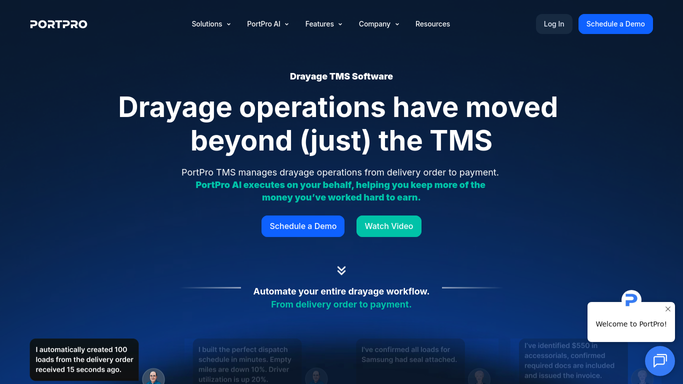
PortPro automates the load once it exists: live container tracking, a driver app that captures documents at the kerb, a customer portal showing status and charges, and same-day invoicing with the proof of delivery attached. Availability, holds and last free days come from terminal websites, which is where a browser agent like WebRun works.
 Written by
Marcus Deleon
Support operations
Written by
Marcus Deleon
Support operations
 Reviewed by
Samuel Adeyemi
Integrations writer
Reviewed by
Samuel Adeyemi
Integrations writer
PortPro turns a container into a day's work
PortPro is an operating system for drayage: the short, awkward leg that takes a container from a marine terminal or a rail ramp to a warehouse and brings the empty back. Drayage carriers and the brokerages that buy from them run their dispatch, driver management, customer visibility and billing on it.
Drayage looks simple from outside and is not. One box involves a terminal that decides when it can be collected, a chassis from somewhere, a driver with hours left in the day, a consignee with a receiving window, and an empty return with its own rules and deadline. Miss any one of them and the box sits, and sitting costs money by the day.
So the board in PortPro is the business. Every load on it is a container with a clock, and the dispatcher's job is to arrange the day so that no clock runs out.
The terminal decides, and it only tells its own screen
The dispatcher's morning is not spent dispatching.
It is spent checking. Has the vessel actually discharged. Is the container available yet, or still behind a customs hold, a line hold or a freight hold. Is there an appointment to be had at that terminal today, and at what time. Which depot is taking that steamship line's empties this week, because it changed on Monday and a driver turned away burns two hours.
Each answer lives on a different terminal's website, and a busy port has several. That means several logins, several layouts, and the same question asked over and over, one container at a time. The last free day in the system is only as good as the last time somebody looked it up, and per diem on the empty runs on a clock nobody is watching.
By the time the board is accurate, half the morning has gone and the terminals have updated again.
Tracking follows the truck, not the box on the vessel
PortPro handles the part it can see thoroughly, and a carrier still running on spreadsheets should fix that first.
Container tracking gives live GPS at load level, so a customer asking where their box is gets an answer without anybody calling the driver. The driver mobile app lets drivers accept or reject loads, see what is next, scan documents at the kerb and clock in and out. The customer portal carries load status, documents, vessel ETA, last free day and pickup appointments, plus a charge preview so waiting time or demurrage is visible before it becomes a dispute. Billing runs off the same records, with invoices going out the day a load is completed and the right proof of delivery attached.
All of that describes the load once it exists in PortPro, and it is accurate about the truck.
It is not the terminal. Availability, holds, the appointment calendar, the real last free day and today's empty return rules are published by each terminal on its own website, to whoever logs in. PortPro shows what was entered. The terminal knows what is true, and it changes the answer several times a day.
A dispatch board built on containers that can actually move
The terminal sites get read the way a dispatcher reads them, every morning. The day is then planned from what is true rather than what was true yesterday.
Every container on the board checked before the shift: discharged or not, released or held, available or not, with the real last free day read off the terminal rather than typed in a week ago. Holds separated by type, so the customs hold that needs the broker and the freight hold that needs the customer reach different desks. Empty return rules read from each terminal's notices, so nobody is sent to a depot that stopped taking that line's boxes on Tuesday.
The money side follows. Boxes ranked by what they will cost tomorrow if nothing moves, demurrage on one side and per diem on the other, so the expensive ones get the drivers. Appointment pages watched, with a slot flagged the moment one opens. Proof of delivery collected from the consignee's own portal when the driver's scan never arrived. Chassis days, waiting time and second stops gathered before the invoice goes out.
Where to stop is clear enough. Reading terminals and building the list can run unattended. Booking an appointment, or telling a customer their box is held, is prepared for a person.
Free days get counted by something that never forgets
A dispatcher with ten years in the port knows which terminal to check and what the answer means. What they do not have is time to check all of them every morning.
WebRun is an AI agent that works a real Chrome browser, signed in as you. It opens the terminal sites, the steamship line's page or the consignee's own system, reads what is on the screen, and writes it back against the load in PortPro.
It runs on your schedule in your own private environment, and you can watch a run and stop it. Anything that books a slot with a terminal or messages a customer is drafted and waits for a person.
The workflows below are already built, and each one names the sites it opens.
Questions people ask
Can it book a terminal appointment for us?
It watches the appointment pages and flags a slot the moment one opens, then leaves the booking to a dispatcher. Taking a slot commits a truck and a driver to a time, so that stays a person's decision.
Terminal websites all look different. Does that break it?
No. It reads each terminal the way a dispatcher does, on that site's own layout, which is exactly why it reaches ports where no data feed exists. Adding another terminal means pointing it at the site, not waiting for an integration.
Will it change things in PortPro without us knowing?
It writes only what you allow, on the fields you name, and every run is visible while it happens and logged afterwards. You can watch a run and stop it part way, and anything that reaches a customer is drafted instead of sent.
12 ready-made PortPro workflows
Each one names the apps it touches and the exact steps it takes. Open one to read what it will do, then turn it on.



Want one of these running on your own PortPro?
Show WebRun the process once and it will run it on schedule, in your own private browser environment.