Get a weekly demurrage exposure report before the steamship line invoices you
Every Monday, WebRun opens PortPro, identifies containers past their free time at the port of discharge, reads the demurrage rate and days elapsed for each, calculates estimated exposure, and writes a summary report to Google Sheets for your accounting and ops team to review.
- No credit card
- Under $0.01 per run
- Cancel anytime
What does WebRun do on every run?
The exact actions WebRun takes, in order - in plain language, so you can adjust anything.
-
WebRun signs in and gets to work
Opens
app.portpro.ioin a real browser with your saved login - no setup, no API keys. -
1
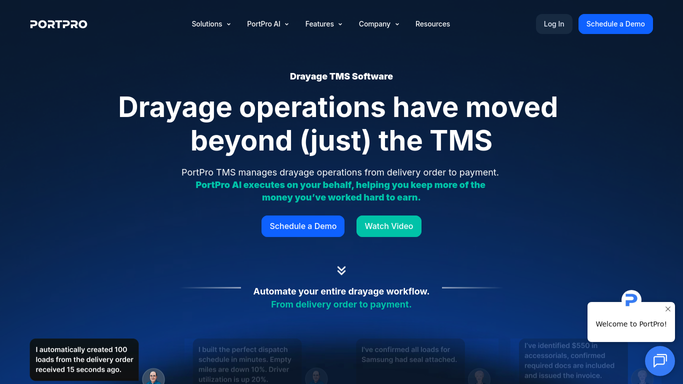
PortPro - identify containers in demurrage with rates and days
portpro.io How to Automate PortPro

WebRun opens PortPro to identify containers in demurrage with rates and days. - Open PortPro and filter import containers to those past their free time at the discharge port
- Read the demurrage rate tier and number of days elapsed past free time for each container
- Calculate estimated demurrage in dollars using the rate schedule on file
- Group containers by steamship line for invoice reconciliation
Done when Every container in demurrage has an estimated charge and is grouped by steamship line.
-
2
Google Sheets - write weekly demurrage exposure report
google.com How to Automate Google Sheets
WebRun opens Google Sheets to write weekly demurrage exposure report. - Open the Demurrage Exposure Report sheet and add a new weekly tab dated with today
- Write the container list with steamship line, free-time expiry, days elapsed, rate, and estimated charge
- Add a summary row with total exposure by steamship line at the top
Done when The weekly demurrage report is written to Google Sheets with totals by steamship line.

How do I get an automatic weekly demurrage exposure report from PortPro?
Every Monday, WebRun opens PortPro, identifies all import containers accruing demurrage, calculates the estimated charge using the rate schedule in PortPro, and writes a Google Sheets report grouped by steamship line so your accounting team reconciles exposure before invoices arrive.
- Demurrage exposure known each Monday, not when the invoice arrives
- Charges grouped by steamship line for faster reconciliation
- No container accruing demurrage goes unnoticed through the week
Built for drayage carriers · port trucking accounting teams · import logistics managers · container operations directors
How is each run configured?
Secure by default
Connect once, stays signed in
WebRun signs in once and keeps each session in a persistent environment, so every run picks up right where it left off.
Every action is checked against this policy before it runs.
Questions, answered
How accurate is the estimated demurrage charge?
The estimate uses the rate schedule recorded in PortPro. Actual invoiced amounts may vary if the steamship line applies a different tariff, so WebRun marks estimates as provisional for your team to confirm.
Will it dispute demurrage charges with the steamship line?
No. WebRun produces an internal exposure report only. Any dispute letter or claim communication is drafted for your review before it is sent to the steamship line.
Can it track demurrage across multiple ports?
Yes. The report covers all import containers in PortPro regardless of the port of discharge, so your full demurrage exposure across all terminals appears in one sheet.
Related templates
Put this on autopilot.
Turn it on in minutes - or have our team set it up for you.