Get instant alerts when a load is running late so you can act fast
Every hour, WebRun opens Truckbase, checks active loads against their scheduled pickup and delivery windows, detects any that are running late, logs each exception to a Google Sheet, and posts an immediate Slack alert to the dispatcher on duty.
- No credit card
- Under $0.01 per run
- Cancel anytime
How do I get automatic alerts when a freight load is running late?
WebRun checks Truckbase every hour, compares active loads against their scheduled pickup and delivery windows, and flags any load running more than 30 minutes late. It logs each exception to a Google Sheet and posts an immediate Slack alert to the dispatcher on duty so they can act before the customer or broker calls you.
- Dispatchers are alerted to load delays within one hour of them occurring
- Every exception is logged so nothing falls through the cracks
- Proactive communication to customers becomes possible instead of reactive
Built for freight dispatch services · trucking carriers · dispatchers · operations managers
What does WebRun do on every run?
The exact actions WebRun takes, in order - in plain language, so you can adjust anything.
-
WebRun signs in and gets to work
Opens
app.truckbase.comin a real browser with your saved login - no setup, no API keys. -
1
Truckbase - check active loads against schedule
truckbase.com How to Automate Truckbase
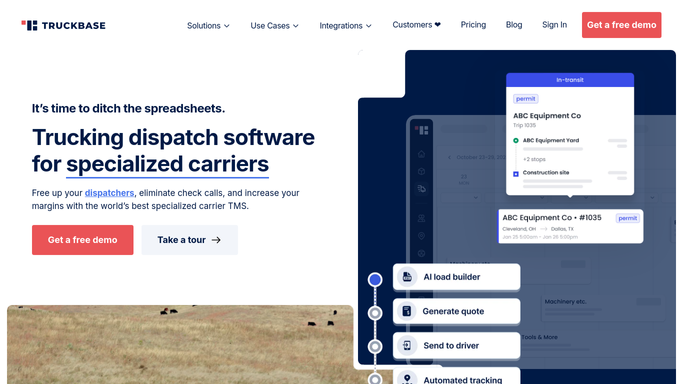
WebRun opens Truckbase to check active loads against schedule. - Open Truckbase and review all loads currently in transit or awaiting pickup
- Compare current ETA or location check-in against the scheduled pickup or delivery window
- Flag any load that is more than 30 minutes behind schedule
- Capture the load number, driver, lane, customer, and estimated delay for each exception
Done when All loads running more than 30 minutes behind schedule are identified.
-
2
Google Sheets - log each delay exception
google.com How to Automate Google Sheets

WebRun opens Google Sheets to log each delay exception. - Open the delay exception log sheet
- Append a new row for each new exception with load number, driver, lane, customer, scheduled time, and estimated delay
- Mark exceptions already alerted in prior runs to avoid duplicate Slack pings
Done when All new delay exceptions are logged in the exception sheet.
-
3
Slack - alert dispatcher on duty immediately
slack.com How to Automate Slack

WebRun opens Slack to alert dispatcher on duty immediately. - Post an immediate alert to the dispatch Slack channel for each new load exception
- Include the load number, driver name, lane, customer, and estimated delay in the alert
- Do not notify the broker or customer directly. Leave that to the dispatcher
Done when The dispatcher has an immediate Slack alert for every new load delay.
How is each run configured?
Secure by default
Connect once, stays signed in
WebRun signs in once and keeps each session in a persistent environment, so every run picks up right where it left off.
Every action is checked against this policy before it runs.
Questions, answered
Will it notify the broker or customer about the delay automatically?
No. WebRun alerts your internal dispatcher via Slack only. Any communication to the broker or customer about a delay is handled by the dispatcher after reviewing the alert.
How late does a load need to be before it triggers an alert?
The default threshold is 30 minutes behind schedule. You can adjust this window during setup to match your service-level commitments to customers.
Will the same load trigger multiple alerts if it stays late?
No. Each exception is logged and marked when first alerted. The same load does not send a new Slack ping on subsequent hourly runs unless a new delay event occurs.
Related templates
Put this on autopilot.
Turn it on in minutes - or have our team set it up for you.