Win back home cooks who haven't shopped in months
Every Monday, WebRun opens RetailEdge, finds loyalty customers who haven't purchased in 90 days, drafts a personalized winback email in Mailchimp referencing their last purchase, and pings staff on Telegram that the campaign is ready to review.
- No credit card
- Under $0.01 per run
- Cancel anytime
How do I win back home cooks who stopped shopping with me?
Every Monday, WebRun finds RetailEdge loyalty customers who haven't purchased in 90 days, drafts a personalized winback email in Mailchimp that references their last purchase, and pings staff on Telegram that it's ready. Staff review and send the campaign themselves, so lapsed home cooks only hear from you after a human approves it first.
- Lapsed loyalty customers get a personalized draft every week
- Winback emails always go through a staff review first
- No customer relationship goes cold without a re engagement attempt
Built for cookware and kitchenware retailers · independent housewares stores · specialty kitchen shop loyalty programs
What does WebRun do on every run?
The exact actions WebRun takes, in order - in plain language, so you can adjust anything.
-
WebRun signs in and gets to work
Opens
www.retailedge.comin a real browser with your saved login - no setup, no API keys. -
1
RetailEdge - find loyalty customers gone quiet
retailedge.com How to Automate RetailEdge
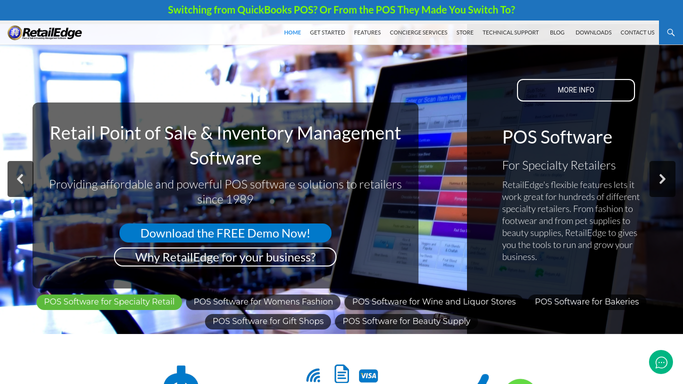
WebRun opens RetailEdge to find loyalty customers gone quiet. - Open RetailEdge and pull loyalty members with no purchase in the last 90 days
- Note each customer's last purchase and favorite brand or category
Done when Every lapsed loyalty customer is listed with their last purchase.
-
2
Mailchimp - draft the winback email
mailchimp.com How to Automate Mailchimp

WebRun opens Mailchimp to draft the winback email. - Draft a personalized winback email for each segment referencing their last purchase or favorite brand
- Include a loyalty offer to bring them back in
- Leave the campaign as a draft in Mailchimp. Never send it to customers automatically
Done when A winback campaign draft exists in Mailchimp for this week's lapsed customers.
-
3
Telegram - tell staff it's ready to review
telegram.org How to Automate Telegram

WebRun opens Telegram to tell staff it's ready to review. - Send staff a message that this week's winback draft is ready in Mailchimp
- Include how many lapsed customers are in this week's batch
Done when Staff know the winback draft is ready to review and send.
How is each run configured?
Secure by default
Connect once, stays signed in
WebRun signs in once and keeps each session in a persistent environment, so every run picks up right where it left off.
Every action is checked against this policy before it runs.
Questions, answered
Will lapsed customers get an email without approval?
No. The winback email is left as a Mailchimp draft. A staff member reviews and sends it, WebRun never emails a customer on its own.
How does it decide who's lapsed?
It looks at each loyalty member's last purchase date in RetailEdge and flags anyone with no purchase in the last 90 days.
What if a lapsed customer already bought something this week?
It reads the live purchase history in RetailEdge each run, so anyone who's already come back is left out of that week's winback batch.
Related templates
Put this on autopilot.
Turn it on in minutes - or have our team set it up for you.