Turn yesterday's cookware sales into a morning digest
Every morning, WebRun opens RetailEdge, pulls yesterday's total sales, top selling SKUs, and sales by vendor and brand, logs the numbers to Google Sheets, and posts a short recap to Slack so you start the day knowing what moved.
- No credit card
- Under $0.01 per run
- Cancel anytime
How do I get a daily recap of my cookware store's sales?
WebRun opens RetailEdge every morning, pulls yesterday's total sales, top selling SKUs, and the split between your main store and any pop up locations, logs the numbers to Google Sheets, and posts a short recap to Slack. You start each day already knowing what sold, what didn't, and how the day compares to recent averages, in one message.
- Owners see yesterday's total sales and top sellers before opening
- Weekly and monthly totals stay current without manual entry
- Big swings in daily sales get flagged the same morning
Built for cookware and kitchenware retailers · specialty kitchen shop owners · independent housewares stores
What does WebRun do on every run?
The exact actions WebRun takes, in order - in plain language, so you can adjust anything.
-
WebRun signs in and gets to work
Opens
www.retailedge.comin a real browser with your saved login - no setup, no API keys. -
1
RetailEdge - pull yesterday's sales and top sellers
retailedge.com How to Automate RetailEdge
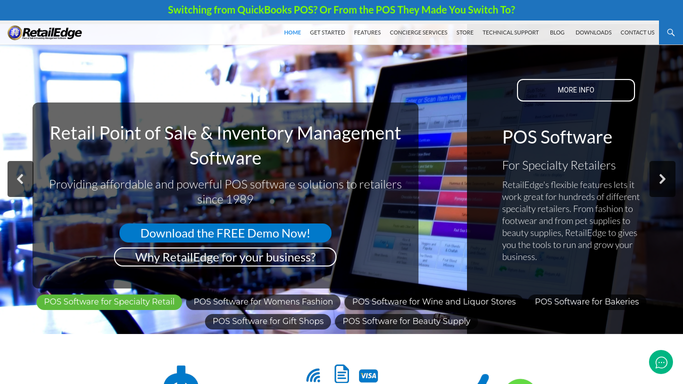
WebRun opens RetailEdge to pull yesterday's sales and top sellers. - Open RetailEdge and pull yesterday's closed out sales totals
- Rank SKUs by units sold and by revenue, by vendor and brand
- Note any pop up or farmers market sales separately from the main store
Done when Yesterday's sales, top sellers, and by location split are captured.
-
2
Google Sheets - log the day's totals
google.com How to Automate Google Sheets

WebRun opens Google Sheets to log the day's totals. - Open the daily sales log and add a new row for yesterday
- Record total sales, units sold, and the top 5 SKUs
- Carry forward the running weekly and monthly totals
Done when The daily sales log has yesterday's row with running totals.
-
3
Slack - post the morning recap
slack.com How to Automate Slack

WebRun opens Slack to post the morning recap. - Post a short recap to the owner's channel: total sales, top sellers, and how it compares to last week
- Flag any big swings up or down versus the recent average
Done when The morning recap is posted in Slack before the store opens.
How is each run configured?
Secure by default
Connect once, stays signed in
WebRun signs in once and keeps each session in a persistent environment, so every run picks up right where it left off.
Every action is checked against this policy before it runs.
Questions, answered
Does this send anything to customers?
No. It only posts an internal recap to your Slack channel and logs the numbers to a sheet. No message ever reaches a customer.
What counts as a top seller?
The SKUs with the highest units sold and highest revenue from the previous day's closed RetailEdge sales, ranked separately by each measure.
What happens if a location had no sales that day?
It still logs a zero row for that location so your weekly and monthly totals stay accurate, and the Slack recap notes it plainly.
Related templates
Put this on autopilot.
Turn it on in minutes - or have our team set it up for you.