How to Automate RetailEdge
RetailEdge automates the ordering side on its own: purchase orders generate from inventory minimums and maximums or from sales, and reorder reports show cover in days. The part it cannot reach is the vendor's website. Backorder dates, price rises and recall notices are what an agent like WebRun goes and collects.
 Written by
Elliot Nakamura
Platform writer
Written by
Elliot Nakamura
Platform writer
 Reviewed by
Owen Hartley
Workflow engineer
Reviewed by
Owen Hartley
Workflow engineer
RetailEdge keeps the shop's memory on the machine in the back office
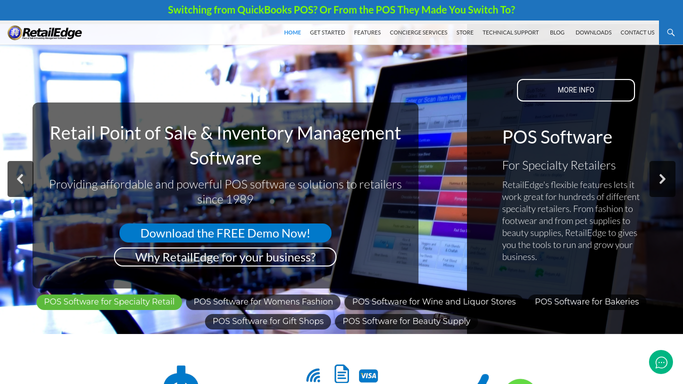
RetailEdge is point of sale and inventory software for independent retailers. It installs on Windows machines in the shop and keeps the data locally rather than only in a browser tab, which is part of why shops on slow rural broadband still choose it. One licence per register, one database in the back office.
What sits in that database is the whole trading history of a small business. Every sale and every customer, each item with its cost and its margin, the vendors it buys from, the layaways, the house accounts, the gift cards. Matrix items let the same pan exist in four sizes and three finishes without four separate records.
Whoever opens the shop opens RetailEdge, and it stays open until the last sale is rung and the day is closed out. It is the counter, the stockroom and the customer list at the same time.
The work that follows a sale never reaches the register
Ringing a sale takes forty seconds. What the sale creates takes the rest of the week.
A customer orders a Dutch oven in a colour you do not stock, and somebody now owns the job of finding out when the vendor will ship it. Another couple set up a registry and expect to hear when the last four items are bought. A stand mixer goes out with a warranty the manufacturer wants registered on its own website. The buyer who came in for a knife block is still on a wish list from March.
None of that lives in the register. It lives in a notebook, a shared inbox and somebody's memory. So the vendor portals get checked on a quiet Tuesday afternoon and not at all in December. The overstock nobody flagged is still at full price in February.
The Physical Inventory Collection System counts what is in the building
RetailEdge does more on the buying side than most shops use. Purchase orders can be auto-generated from inventory minimums and maximums, or from what actually sold, so a reorder is a review rather than a blank page. Reorder reports show what is on hand against what is on order, and an Available Daily Supply figure turns a shelf count into days of cover. The Physical Inventory Collection System runs full counts and cycle counts from a portable data terminal or an iPhone, showing the difference before you commit it. The Activity Manager keeps customer contact histories and ToDos, so a follow-up call has somewhere to be recorded.
All of it works on what the shop already knows: what it rang up, what it received, what somebody typed in.
The line none of it crosses is the vendor's website. RetailEdge can tell you that you are down to two of an item and that six are on order. It cannot tell you those six went on backorder until August, that the list price moved last week, or that the manufacturer has posted a recall on a model you sold forty of. All of that exists behind a dealer login, on a page with no export button.
Nobody has to remember who wanted the copper pan
The notebook and the shared inbox stop being the only place a promise is kept.
The vendor portal says a special order shipped on Thursday. That can be a text drafted to the customer who ordered it, waiting for someone at the shop to send, instead of a call somebody makes a fortnight later. A registry with four items left and a wedding nine days away can be a short list on the counter each morning.
The same reading works on anything a person could look at. Whether that stand mixer warranty was ever actually registered on the manufacturer's site. Which of your brands raised prices this month, so the margin report is honest before you print shelf tags. What the same pan sells for on the sites your customers check on their phones while standing in your aisle. Whether a dealer portal has posted a recall against a serial number you sold.
What leaves the shop can be watched as closely as what comes in. A line that stopped selling in July is still a decision. The same line found in January is a markdown.
A quiet Tuesday is no longer when the checking happens
The vendor round has to happen whether or not the shop is busy, and it always loses to a customer at the counter.
WebRun is an AI agent that drives a real Chrome browser, signed in as you. It opens the vendor site, reads the backorder date off the screen, checks the price against the last order you placed with that brand, and puts the answer where you will see it. Your RetailEdge database stays on your own machine. The agent works the other side: vendor logins, manufacturer registration pages, and the sheet the shop reads in the morning.
It runs on your schedule in your own environment. You can watch a run and stop it part way. Anything that reaches a customer drafts and waits for a person.
The workflows below are already built. Each one names the sites it opens and the steps it takes.
Questions people ask
The RetailEdge data never leaves our shop computer. Does this change that?
No. The database stays on your machine and nothing is installed beside it. The agent works the websites around the shop and writes what it finds where you point it, so the only thing that moves is what you asked it to collect.
The registry and special order messages have to sound like us. Who writes them?
You do. A workflow gathers the facts and drafts the message in the wording you set, then holds it for someone at the shop to read and send. Nothing goes to a customer unread, and you can rewrite any draft before it leaves.
Vendors redesign their sites without warning. What happens then?
The run stops rather than guessing. Because the agent reads pages the way a person does, a moved button is a fix to the workflow, not a rebuilt integration, and you find out from a failed run rather than from a wrong number sitting in a report.
12 ready-made RetailEdge workflows
Each one names the apps it touches and the exact steps it takes. Open one to read what it will do, then turn it on.






Want one of these running on your own RetailEdge?
Show WebRun the process once and it will run it on schedule, in your own private browser environment.