Follow up on every wedding registry purchase
When a registry item sells in RetailEdge, WebRun logs the purchase against the couple's registry, drafts a warm thank you note to the gift giver in Gmail, and posts your staff a Slack update on which registries are nearly complete.
- No credit card
- Under $0.01 per run
- Cancel anytime
What does WebRun do on every run?
The exact actions WebRun takes, in order - in plain language, so you can adjust anything.
-
WebRun signs in and gets to work
Opens
www.retailedge.comin a real browser with your saved login - no setup, no API keys. -
1
RetailEdge - log the registry purchase
retailedge.com How to Automate RetailEdge

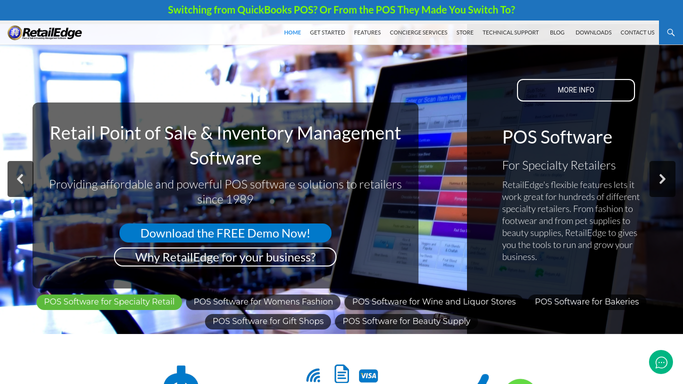
WebRun opens RetailEdge to log the registry purchase. - Watch for a wish list or registry sale closing in RetailEdge
- Match the item to the couple's registry and mark it purchased
- Calculate how much of the registry is now fulfilled
Done when The purchase is logged against the right registry with an updated completion percentage.
-
2
Gmail - draft a thank you note
gmail.com How to Automate Gmail
WebRun opens Gmail to draft a thank you note. - Draft a warm thank you note to the gift giver naming the item they chose
- Leave the note as a draft for a staff member to personalize and send. Never send it automatically
Done when A thank you draft exists in Gmail for the gift giver.
-
3
Slack - update staff on registry progress
slack.com How to Automate Slack
WebRun opens Slack to update staff on registry progress. - Post the registry name, the item purchased, and the new completion percentage
- Flag any registry that just crossed 90 percent so staff can plan final touches
Done when Staff have an up to date registry status in Slack.


How do I follow up on wedding registry purchases automatically?
When a wedding registry item sells in RetailEdge, WebRun logs the purchase against the couple's wish list, drafts a warm thank you note to the gift giver in Gmail, and posts your staff a Slack update on how full the registry now is. Staff personalize and send each note themselves, so gift givers are never emailed without staff approval.
- Every gift giver gets a thank you note drafted within minutes
- Staff always know how close a registry is to complete
- No thank you note goes out without a staff review
Built for cookware stores running wedding registries · kitchenware retailers with gift registries · bridal registry coordinators
How is each run configured?
Secure by default
Connect once, stays signed in
WebRun signs in once and keeps each session in a persistent environment, so every run picks up right where it left off.
Every action is checked against this policy before it runs.
Questions, answered
Will the gift giver get an email without review?
No. WebRun leaves every thank you note as a Gmail draft for your staff to personalize and send. It never emails a gift giver on its own.
How does it know which registry an item belongs to?
It matches the sale in RetailEdge to the couple's wish list registry, so the right registry gets marked purchased and updated.
What happens when a registry is fully purchased?
It flags the registry once it crosses 90 percent complete in the Slack update, so staff can plan a final thank you or a completion note.
Related templates
Put this on autopilot.
Turn it on in minutes - or have our team set it up for you.