Turn discontinued cookware lines into a clearance plan
Every Monday, WebRun opens RetailEdge, finds SKUs flagged discontinued by vendor and brand, suggests a markdown percent based on how long each has sat and how many units remain, drafts a clearance announcement in Mailchimp, and posts staff a Slack list of what to mark down first.
- No credit card
- Under $0.01 per run
- Cancel anytime
What does WebRun do on every run?
The exact actions WebRun takes, in order - in plain language, so you can adjust anything.
-
WebRun signs in and gets to work
Opens
www.retailedge.comin a real browser with your saved login - no setup, no API keys. -
1
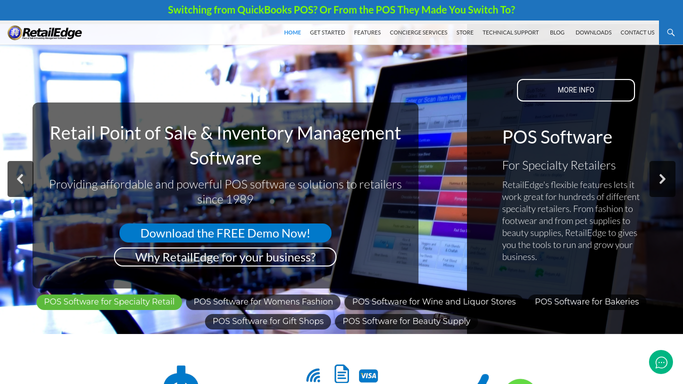
RetailEdge - find discontinued lines and suggest markdowns
retailedge.com How to Automate RetailEdge

WebRun opens RetailEdge to find discontinued lines and suggest markdowns. - Open RetailEdge and pull SKUs flagged discontinued by vendor and brand
- Rank them by days on the shelf and units remaining
- Suggest a markdown percent for each, higher for older and slower moving stock
Done when Every discontinued SKU has a suggested markdown percent.
-
2
Mailchimp - draft the clearance announcement
mailchimp.com How to Automate Mailchimp
WebRun opens Mailchimp to draft the clearance announcement. - Draft a clearance announcement featuring the discontinued lines and suggested prices
- Leave the campaign as a draft in Mailchimp for you to review before it sends. Never send it to your list automatically
Done when A clearance campaign sits as a draft in Mailchimp.
-
3
Slack - tell staff what to mark down
slack.com How to Automate Slack
WebRun opens Slack to tell staff what to mark down. - Post the discontinued SKUs, suggested markdown percent, and units remaining to the staff channel
- Flag the oldest stock first so it gets marked down and displayed today
Done when Staff have today's markdown list in Slack.


How do I clear discontinued cookware lines automatically?
Every Monday, WebRun scans RetailEdge for discontinued SKUs by vendor and brand, ranks them by days on the shelf, and suggests a markdown percent for each. It drafts a clearance announcement in Mailchimp and posts staff a Slack list of what to mark down first, and the campaign only sends once you review and approve it yourself.
- Discontinued stock gets a markdown suggestion every week instead of sitting untouched
- The oldest, slowest moving SKUs are flagged first
- No clearance email reaches customers without your review
Built for cookware and kitchenware retailers · independent housewares stores · specialty kitchen shop buyers
How is each run configured?
Secure by default
Connect once, stays signed in
WebRun signs in once and keeps each session in a persistent environment, so every run picks up right where it left off.
Every action is checked against this policy before it runs.
Questions, answered
Will it email my customer list without me?
No. The clearance announcement is left as a Mailchimp draft for you to review and send. WebRun never sends a campaign to your list on its own.
How is the markdown percent decided?
It looks at how many days each discontinued SKU has sat on the shelf and how many units remain in RetailEdge, suggesting a bigger markdown for older, slower moving stock.
What if a discontinued item is already marked down?
It reads the live price in RetailEdge each run, so an item already discounted is skipped or only flagged if it needs a deeper cut.
Related templates
Put this on autopilot.
Turn it on in minutes - or have our team set it up for you.