Draft reorders before your cookware stock runs out
Every night, WebRun opens RetailEdge, finds SKUs at or below their reorder point grouped by vendor and brand, drafts a purchase order in QuickBooks for each vendor, and posts a Slack summary so you can review and approve before anything is sent.
- No credit card
- Under $0.01 per run
- Cancel anytime
What does WebRun do on every run?
The exact actions WebRun takes, in order - in plain language, so you can adjust anything.
-
WebRun signs in and gets to work
Opens
www.retailedge.comin a real browser with your saved login - no setup, no API keys. -
1
RetailEdge - find SKUs below reorder point
retailedge.com How to Automate RetailEdge

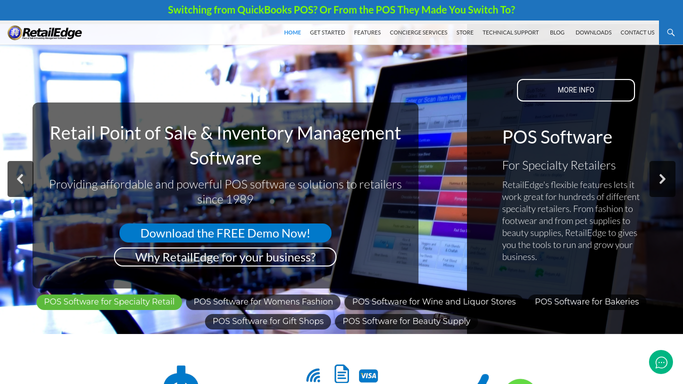
WebRun opens RetailEdge to find SKUs below reorder point. - Open RetailEdge and pull current on hand counts against each SKU's reorder point
- Group the low stock SKUs by vendor and brand
- Skip any SKU already on an open purchase order
Done when Every SKU at or below its reorder point is listed by vendor.
-
2
QuickBooks - draft a purchase order per vendor
- Open QuickBooks and start a draft purchase order for each vendor with low stock items
- Add the SKUs, quantities, and last known cost for each line
- Leave every purchase order as a draft. Never submit or email it to the vendor automatically
Done when A draft purchase order sits in QuickBooks for every vendor that needs a reorder.
-
3
Slack - summarize drafts for approval
slack.com How to Automate Slack
WebRun opens Slack to summarize drafts for approval. - Post a summary of the draft purchase orders: vendor, item count, and estimated total
- Link each draft so you can review and submit it yourself
Done when You have a Slack summary of every draft purchase order waiting for your review.

How do I automatically catch low cookware stock before it runs out?
WebRun checks RetailEdge every night for SKUs at or below their reorder point, grouped by vendor and brand, then drafts a purchase order in QuickBooks for each vendor that needs restocking. It posts a Slack summary of every draft so you can review costs and submit each order yourself, and nothing ever reaches a vendor without your approval first.
- Reorder points get checked every night without manual counts
- Vendor purchase orders sit ready to review each morning
- No SKU gets double ordered from a duplicate draft
Built for cookware and kitchenware retailers · independent housewares stores · specialty kitchen shop buyers
How is each run configured?
Secure by default
Connect once, stays signed in
WebRun signs in once and keeps each session in a persistent environment, so every run picks up right where it left off.
Every action is checked against this policy before it runs.
Questions, answered
Will it order stock without me?
No. Every purchase order is left as a draft in QuickBooks for you to review and submit yourself. WebRun never sends or submits an order on its own.
How does it decide what counts as low stock?
It compares each SKU's current on hand count in RetailEdge against the reorder point you've set for that item, by vendor and brand.
What if I already reordered a SKU?
It skips any SKU that already has an open purchase order, so you won't get duplicate drafts for the same item.
Related templates
Put this on autopilot.
Turn it on in minutes - or have our team set it up for you.