Compare pop up market sales to your store every week
Every Monday, WebRun checks Google Calendar for which farmers market pop ups ran this week, pulls RetailEdge sales split between each pop up location and your main store, and posts a side by side comparison to Slack so you know if the pop up schedule is worth the staff time.
- No credit card
- Under $0.01 per run
- Cancel anytime
What does WebRun do on every run?
The exact actions WebRun takes, in order - in plain language, so you can adjust anything.
-
WebRun signs in and gets to work
Opens
calendar.google.comin a real browser with your saved login - no setup, no API keys. -
1
Google Calendar - find this week's pop up market dates
calendar.google.com How to Automate Google Calendar

WebRun opens Google Calendar to find this week's pop up market dates. - Open Google Calendar and find every pop up or farmers market event scheduled this week
- Note the date, market, and hours staffed for each
Done when Every pop up event this week is listed with its date and market.
-
2
RetailEdge - split sales by location
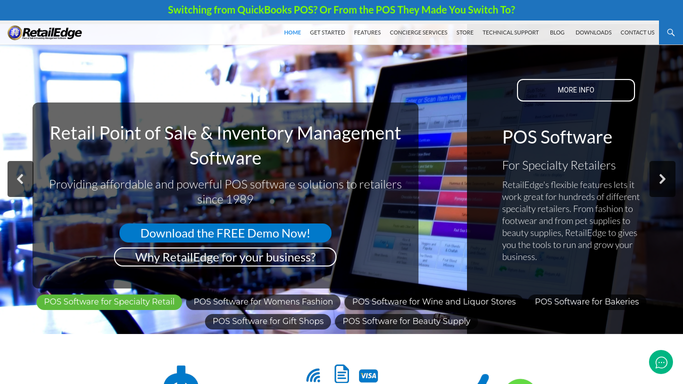
retailedge.com How to Automate RetailEdge
WebRun opens RetailEdge to split sales by location. - Open RetailEdge and pull sales for each pop up location and the main store separately
- Calculate sales per staffed hour for each pop up event
Done when Every location's weekly sales and sales per hour are captured.
-
3
Slack - post the comparison
slack.com How to Automate Slack
WebRun opens Slack to post the comparison. - Post a side by side recap of store sales versus each pop up event's sales and sales per hour
- Flag any pop up that underperformed the main store on a per hour basis
Done when This week's pop up versus store recap is posted in Slack.


How do I know if my farmers market pop up is worth the staff time?
Every Monday, WebRun checks Google Calendar for which farmers market pop ups ran that week, pulls RetailEdge sales split between each pop up and your main store, and posts a side by side comparison to Slack including sales per staffed hour. You see at a glance whether a pop up earns its keep or underperforms the main store.
- Every pop up gets judged on sales per staffed hour, not just total sales
- Underperforming pop ups get flagged the same week
- No manual pull needed to compare pop up and store sales
Built for cookware and kitchenware retailers · farmers market vendors · independent housewares stores with pop up sales
How is each run configured?
Secure by default
Connect once, stays signed in
WebRun signs in once and keeps each session in a persistent environment, so every run picks up right where it left off.
Every action is checked against this policy before it runs.
Questions, answered
Does this include every pop up automatically?
It includes every pop up or farmers market event found on your Google Calendar for that week, so anything scheduled there is picked up without extra setup.
How is a pop up judged worth the staff time?
It calculates sales per staffed hour for each pop up event and compares it against the main store, flagging any event that underperformed on that basis.
Does it separate sales by individual pop up location?
Yes. RetailEdge's multi location tracking lets it split sales by each pop up event as well as the main store, so the Slack recap shows each one on its own line.
Related templates
Put this on autopilot.
Turn it on in minutes - or have our team set it up for you.