Draft arrival notices for every special order knife
Every morning, WebRun opens RetailEdge, finds special order knives marked received overnight, drafts a friendly arrival notice in Gmail naming the knife and pickup window for each customer, and pings staff on Telegram with the list to review and send.
- No credit card
- Under $0.01 per run
- Cancel anytime
What does WebRun do on every run?
The exact actions WebRun takes, in order - in plain language, so you can adjust anything.
-
WebRun signs in and gets to work
Opens
www.retailedge.comin a real browser with your saved login - no setup, no API keys. -
1
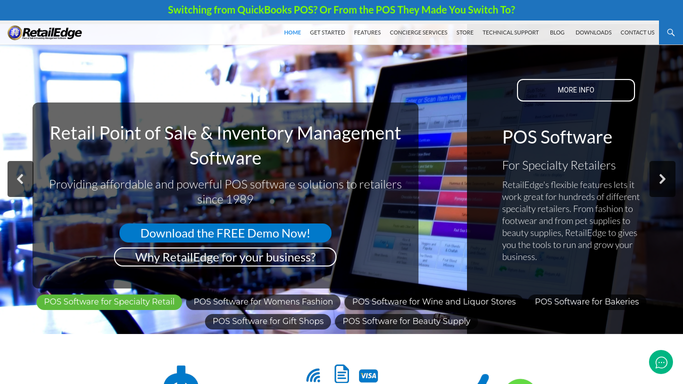
RetailEdge - find special order knives received overnight
retailedge.com How to Automate RetailEdge

WebRun opens RetailEdge to find special order knives received overnight. - Open RetailEdge and find special order knives marked received since yesterday
- Match each to the customer who placed the order
Done when Every knife received overnight is matched to its customer.
-
2
Gmail - draft the arrival notice
gmail.com How to Automate Gmail
WebRun opens Gmail to draft the arrival notice. - Draft an arrival notice naming the knife, the customer, and your pickup window
- Leave every notice as a draft in Gmail. Never send it to the customer automatically
Done when An arrival notice draft exists for every knife received overnight.
-
3
Telegram - tell staff the drafts are ready
telegram.org How to Automate Telegram
WebRun opens Telegram to tell staff the drafts are ready. - Message staff the list of today's arrival drafts and how many are waiting
- Flag any customer who's been waiting more than 2 weeks
Done when Staff know today's arrival drafts are ready to send.


How do I notify customers when their special order knife arrives?
Every morning, WebRun checks RetailEdge for special order knives marked received overnight, matches each to the customer who ordered it, and drafts a friendly arrival notice in Gmail with the pickup window. Staff review and send each draft themselves, and a Telegram message flags any customer who has waited more than two weeks.
- Customers get an arrival draft the same morning their knife is received
- Long waiting customers get flagged automatically
- No arrival notice goes out without a staff review
Built for cookware and kitchenware retailers · specialty knife shops · independent housewares stores
How is each run configured?
Secure by default
Connect once, stays signed in
WebRun signs in once and keeps each session in a persistent environment, so every run picks up right where it left off.
Every action is checked against this policy before it runs.
Questions, answered
Will the customer be emailed automatically?
No. Every arrival notice is left as a Gmail draft. A staff member reviews and sends it, WebRun never emails a customer on its own.
How does it match a knife to the right customer?
It reads the special order record in RetailEdge, which ties each ordered knife to the customer who placed it.
What if a customer has been waiting a long time?
It flags anyone waiting more than 2 weeks in the Telegram message to staff, so a delayed order gets priority attention.
Related templates
Put this on autopilot.
Turn it on in minutes - or have our team set it up for you.