Track carrier authority reinstatement status changes
Every morning, WebRun opens Highway, reviews the carriers whose FMCSA authority was revoked or suspended, logs any change in their reinstatement status to a Google Sheet, and pings your team on Telegram when a carrier moves toward, or back into, active authority.
- No credit card
- Under $0.01 per run
- Cancel anytime
How do I track when a carrier's revoked authority gets reinstated?
WebRun tracks authority reinstatements. Each morning it opens Highway, reviews carriers whose FMCSA authority was revoked or suspended, logs any change in reinstatement status to a Google Sheet, and pings your team on Telegram when a carrier moves toward or back into active authority, so a person can decide whether to re-onboard or keep holding.
- Authority changes are logged the day they happen
- Reinstated carriers are surfaced for a re-vet decision
- A full history of each authority stays in one sheet
Built for freight brokers · compliance teams · 3PLs · carrier managers
What does WebRun do on every run?
The exact actions WebRun takes, in order - in plain language, so you can adjust anything.
-
WebRun signs in and gets to work
Opens
gohighway.comin a real browser with your saved login - no setup, no API keys. -
1
Highway - review revoked and suspended carriers
gohighway.com How to Automate Highway
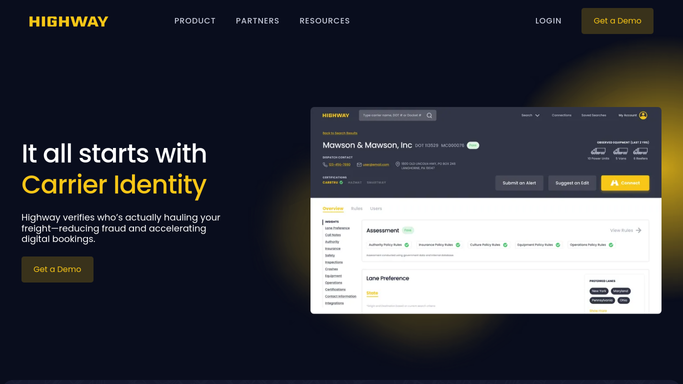
WebRun opens Highway to review carriers with revoked or suspended authority. - Open Highway and list carriers whose FMCSA authority is revoked or suspended
- Read each carrier's current authority status and any reinstatement progress
- Compare against the last run to spot carriers whose status has moved
Done when Every revoked or suspended carrier has its current authority status read and compared.
-
2
Google Sheets - log reinstatement status changes
google.com How to Automate Google Sheets

WebRun logs each authority status change to the tracking sheet. - Open the authority-tracking sheet and update each carrier's status row
- Record the MC or USDOT number, the prior status, the new status, and the date
- Keep a running history so you can see how each authority has moved over time
Done when Every status change is recorded as a dated row in the Google Sheet.
-
3
Telegram - ping the team on a change
telegram.org How to Automate Telegram

WebRun pings the team on Telegram when a carrier's authority status changes. - Ping your team on Telegram for each carrier whose status changed
- Name the carrier and state the move, for example suspended to reinstated
- Leave the decision to re-onboard or hold to a person
Done when The team has a Telegram ping for every authority status change.
How is each run configured?
Secure by default
Connect once, stays signed in
WebRun signs in once and keeps each session in a persistent environment, so every run picks up right where it left off.
Every action is checked against this policy before it runs.
Questions, answered
Will it re-onboard a reinstated carrier by itself?
No. WebRun only logs the status change and pings your team on Telegram. A person decides whether to re-onboard, keep holding, or re-vet, so no carrier is reactivated without human approval.
Why track reinstatement at all?
Because a carrier whose authority was revoked can regain it, and you want to know the moment that happens, both to reconsider good carriers and to re-check any whose authority lapsed for cause before you tender to them again.
Does it contact the carrier?
No. The log goes to your Google Sheet and the ping goes to your team on Telegram. WebRun never messages the carrier, so this stays an internal tracking signal you act on.
Related templates
Put this on autopilot.
Turn it on in minutes - or have our team set it up for you.