Flag carriers whose authority is too new for your policy
Every morning, WebRun opens Highway, reads the FMCSA authority-grant date for each newly onboarded carrier, flags any younger than the threshold your policy sets, logs the flagged carriers to a Google Sheet, and posts your team a Slack heads-up to review before assigning loads.
- No credit card
- Under $0.01 per run
- Cancel anytime
What does WebRun do on every run?
The exact actions WebRun takes, in order - in plain language, so you can adjust anything.
-
WebRun signs in and gets to work
Opens
gohighway.comin a real browser with your saved login - no setup, no API keys. -
1
Highway - read FMCSA authority age
gohighway.com How to Automate Highway

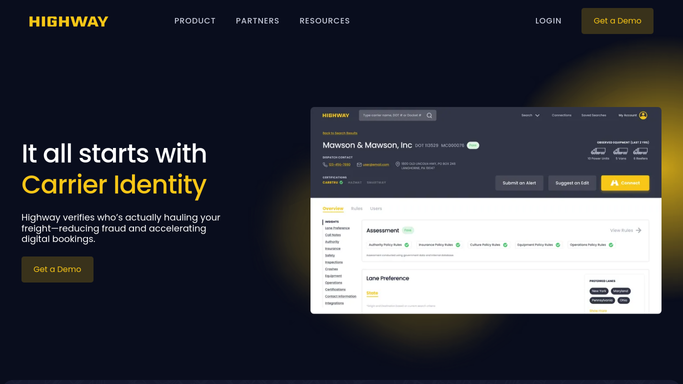
WebRun opens Highway to read each carrier's FMCSA authority age. - Open Highway and list the carriers onboarded recently
- Read each carrier's FMCSA authority-grant date and compute how long it has been active
- Mark any carrier whose authority is younger than your policy threshold, for example six months
Done when Every recent carrier has its authority age read and compared to the threshold.
-
2
Google Sheets - log carriers under the threshold
google.com How to Automate Google Sheets
WebRun logs each under-threshold carrier to the vetting sheet. - Open the carrier-vetting sheet and add a row for each carrier under the threshold
- Record the MC or USDOT number, authority-grant date, and months active
- Skip carriers already logged so the sheet stays clean
Done when Every under-threshold carrier is a row in the Google Sheet.
-
3
Slack - post the review heads-up
slack.com How to Automate Slack
WebRun posts the team a heads-up on carriers too new for policy. - Post your team a short list of carriers whose authority is under the threshold
- Name each carrier and how many months of authority it has
- Leave it for a person to approve or decline before loads are assigned
Done when The team has today's under-threshold carriers in Slack for review.


How do I flag carriers whose authority is younger than my policy allows?
WebRun flags carriers too new for your policy. Each morning it opens Highway, reads every recent carrier's FMCSA authority-grant date, and flags any active less than your threshold. It logs those to a Google Sheet and posts your team a Slack list to review, so an under-seasoned carrier never gets loads without a person approving it.
- Under-seasoned carriers are flagged before they get loads
- Every flagged carrier is logged with its authority date
- Your age policy is applied the same way every morning
Built for freight brokers · carrier compliance teams · 3PLs · risk managers
How is each run configured?
Secure by default
Connect once, stays signed in
WebRun signs in once and keeps each session in a persistent environment, so every run picks up right where it left off.
Every action is checked against this policy before it runs.
Questions, answered
Where does the authority age come from?
It comes from the FMCSA authority-grant date that Highway carries on each carrier. WebRun reads that date, computes months active, and compares it to the threshold your policy sets, for example six months.
Will it block a carrier by itself?
No. WebRun only logs the flagged carriers and posts your team a Slack list. A person decides whether to approve, wait, or decline, so nothing is blocked or assigned without human review.
Can I set my own threshold?
Yes. Tell WebRun your policy, whether that is six months, one year, or a custom cutoff, and it flags only the carriers whose authority is younger than the number you set.
Related templates
Put this on autopilot.
Turn it on in minutes - or have our team set it up for you.