Get alerted the moment a carrier's FMCSA contact changes
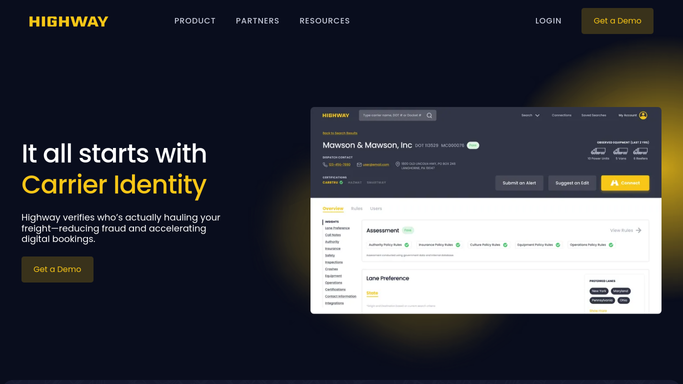
Through the day, WebRun checks Highway for FMCSA contact-detail changes on the carriers you work with, a common precursor to identity theft, and sends your risk team an instant Telegram alert naming the carrier, the field that changed, and when.
- No credit card
- Under $0.01 per run
- Cancel anytime
What does WebRun do on every run?
The exact actions WebRun takes, in order - in plain language, so you can adjust anything.
-
WebRun signs in and gets to work
Opens
gohighway.comin a real browser with your saved login - no setup, no API keys. -
1
Highway - watch for FMCSA contact changes
gohighway.com How to Automate Highway

WebRun opens Highway to watch the FMCSA change feed for your carriers. - Open Highway and review the FMCSA change feed for your active carriers
- Capture any change to phone, email, address, or officer on a carrier you tender to
- Note the carrier, the field that changed, and the timestamp
Done when Every fresh FMCSA contact change on an active carrier is captured with its detail.
-
2
Telegram - send an instant risk alert
telegram.org How to Automate Telegram
WebRun sends the risk team an instant Telegram alert naming what changed. - Send your risk team an instant Telegram alert for each contact change
- Name the carrier, the exact field that changed, and the old and new values
- Flag changes on carriers with loads in transit first
Done when The risk team has a Telegram alert for every fresh FMCSA contact change.

How do I get alerted when a carrier's FMCSA contact info changes?
WebRun watches your carriers for FMCSA contact changes. Every few minutes it checks Highway for any edit to a carrier's phone, email, address, or officer, a classic identity-theft signal, and sends your risk team an instant Telegram alert naming the carrier and exactly what changed, so you can hold and re-verify before the next load.
- Contact-change fraud signals reach your team in minutes
- No FMCSA edit slips past between manual reviews
- Loads in transit are flagged first for fast re-verification
Built for freight brokers · risk and compliance teams · 3PLs · carrier managers
How is each run configured?
Secure by default
Connect once, stays signed in
WebRun signs in once and keeps each session in a persistent environment, so every run picks up right where it left off.
Every action is checked against this policy before it runs.
Questions, answered
Why does an FMCSA contact change matter?
A sudden change to a carrier's FMCSA phone, email, or address is a classic identity-theft signal: fraudsters edit the record to intercept loads and payments. WebRun surfaces it instantly so your team can hold and re-verify before tendering.
Does it message the carrier?
No. WebRun only sends your own risk team a Telegram alert. It never contacts the carrier, so this is a safe internal signal your team acts on, not an outbound message.
How fast is the alert?
Within minutes. WebRun re-checks the Highway FMCSA feed every few minutes, so a contact change reaches your risk team almost as soon as it posts, not on the next manual review.
Related templates
Put this on autopilot.
Turn it on in minutes - or have our team set it up for you.