Catch an insurance lapse on an active carrier fast
Every morning, WebRun opens Highway, checks the insurance status of every carrier you actively tender to, and posts your team an instant Slack alert for any policy that has lapsed or expires soon, so a load never rides on a carrier without coverage on file.
- No credit card
- Under $0.01 per run
- Cancel anytime
What does WebRun do on every run?
The exact actions WebRun takes, in order - in plain language, so you can adjust anything.
-
WebRun signs in and gets to work
Opens
gohighway.comin a real browser with your saved login - no setup, no API keys. -
1
Highway - check carrier insurance status
gohighway.com How to Automate Highway

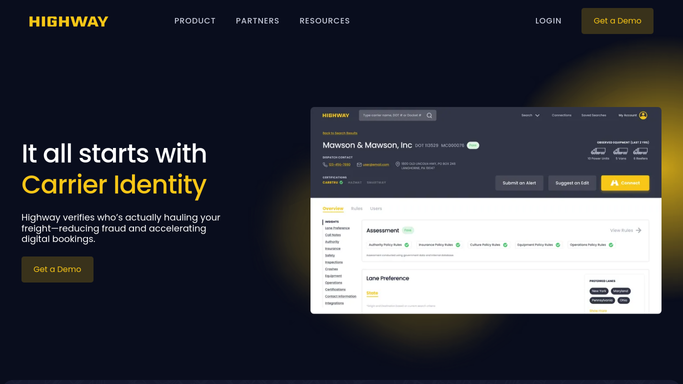
WebRun opens Highway to check each active carrier's insurance status. - Open Highway and review the insurance status for every active carrier
- Capture any carrier whose coverage has lapsed or expires within your warning window
- Note the carrier, the coverage type, and the expiry or lapse date
Done when Every active carrier's insurance status has been checked against your warning window.
-
2
Slack - alert the team on lapses
slack.com How to Automate Slack
WebRun posts the team an alert on carriers with lapsed coverage. - Post your team an alert listing carriers with lapsed or soon-to-expire coverage
- Name the carrier, coverage type, and the lapse or expiry date
- Put carriers with loads booked or in transit at the top
Done when The team has today's insurance-lapse alert in Slack.

How do I catch when an active carrier's insurance lapses?
WebRun catches insurance lapses fast. Each morning it opens Highway, checks the coverage on every carrier you actively tender to, and posts your team an instant Slack alert for any policy that has lapsed or expires soon, naming the carrier and date, so no load ever rides on a carrier without insurance on file.
- No load rides on a carrier with lapsed coverage
- Expiring policies are flagged before they lapse
- Booked and in-transit loads are surfaced first
Built for freight brokers · 3PLs · carrier compliance teams · risk managers
How is each run configured?
Secure by default
Connect once, stays signed in
WebRun signs in once and keeps each session in a persistent environment, so every run picks up right where it left off.
Every action is checked against this policy before it runs.
Questions, answered
Does it stop loads on an uninsured carrier?
It does not act on the load itself. WebRun posts your team an instant Slack alert naming the carrier and the lapse, and a person holds or reassigns the load, so coverage decisions stay with your team.
How far ahead does it warn?
As far ahead as you set. Give WebRun a warning window, for example fourteen days, and it flags any active carrier whose coverage expires inside that window, not just policies that have already lapsed.
Does it message the carrier or insurer?
No. This is an internal Slack alert to your own team only. WebRun never contacts the carrier or the insurer, so nothing goes out externally without a person deciding to act.
Related templates
Put this on autopilot.
Turn it on in minutes - or have our team set it up for you.