Verify carrier identity before you tender a load
As loads move to ready-to-tender, WebRun opens Highway, confirms the assigned carrier passed identity and rightful-owner checks, holds any tender that fails or looks off, and posts your dispatch team a clear Slack go or no-go with the reason.
- No credit card
- Under $0.01 per run
- Cancel anytime
What does WebRun do on every run?
The exact actions WebRun takes, in order - in plain language, so you can adjust anything.
-
WebRun signs in and gets to work
Opens
gohighway.comin a real browser with your saved login - no setup, no API keys. -
1
Highway - confirm carrier identity and authority
gohighway.com How to Automate Highway

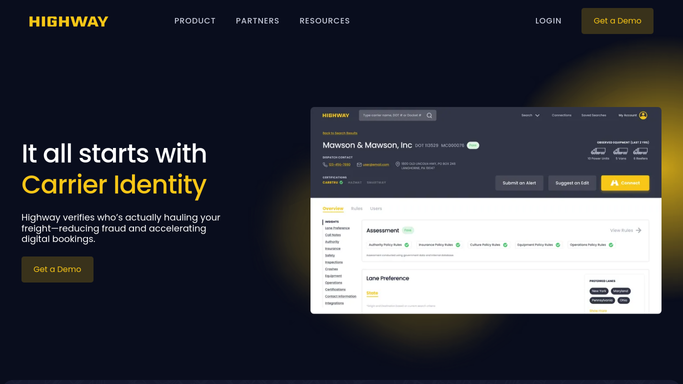
WebRun opens Highway to confirm the assigned carrier's identity before tender. - Open Highway and pull the carrier assigned to each load that is ready to tender
- Confirm the carrier cleared identity, rightful-owner, and authority checks
- Note any failed check, dispatch-service flag, or mismatch that should hold the tender
Done when Every ready-to-tender carrier has a pass or fail recorded from Highway.
-
2
Slack - post a go or no-go to dispatch
slack.com How to Automate Slack
WebRun posts dispatch a go or no-go with the reason for each tender. - Post dispatch a short go or no-go for each pending tender
- For a no-go, name the failed check and hold the tender until a person clears it
- Put the held loads first so nothing tenders to an unverified carrier
Done when Dispatch has a go or no-go in Slack for every pending tender.

How do I verify a carrier's identity before tendering a load?
WebRun verifies each carrier before you tender. Every few minutes it opens Highway, confirms the assigned carrier passed identity, rightful-owner, and authority checks, holds any tender that fails, and posts your dispatch team a Slack go or no-go with the reason, so no load ever tenders to an unverified carrier.
- No load tenders to an unverified carrier
- Failed checks are caught minutes before tender, not after
- Dispatch gets a clear reason on every held load
Built for freight brokers · 3PLs · dispatch teams · logistics ops
How is each run configured?
Secure by default
Connect once, stays signed in
WebRun signs in once and keeps each session in a persistent environment, so every run picks up right where it left off.
Every action is checked against this policy before it runs.
Questions, answered
Will it tender a load on its own?
No. WebRun only posts dispatch a go or no-go in Slack and holds any tender that fails a Highway check. A person makes the tender, so no load moves to a carrier without human approval.
What makes a tender a no-go?
A no-go is any carrier that failed Highway's identity, rightful-owner, or authority checks, or that raised a dispatch-service or mismatch flag. WebRun names the exact reason so dispatch knows why it was held.
How current is the check?
It reads live Highway status each run, every few minutes during dispatch hours, so a carrier flagged since the last load is caught before the next tender goes out.
Related templates
Put this on autopilot.
Turn it on in minutes - or have our team set it up for you.