Route every new carrier packet for compliance review
When a carrier completes onboarding in Highway, WebRun pulls their identity, authority, and insurance results into one packet, drafts a compliance-review email summarizing the highlights in Gmail, leaves it unsent for a reviewer, and posts your team a Slack note that the packet is ready.
- No credit card
- Under $0.01 per run
- Cancel anytime
How do I route a new carrier's vetting packet for compliance review?
WebRun routes each new carrier for review. When onboarding completes in Highway, it assembles the identity, authority, and insurance results into one packet, drafts a compliance-review email in Gmail but leaves it unsent, and posts your team a Slack note that the packet is ready, so every carrier gets a human review before hauling.
- Every new carrier gets a human review before hauling
- The review packet is assembled in seconds, not by hand
- Warnings surface up front so reviewers act on them first
Built for freight brokers · compliance teams · 3PLs · carrier managers
What does WebRun do on every run?
The exact actions WebRun takes, in order - in plain language, so you can adjust anything.
-
WebRun signs in and gets to work
Opens
gohighway.comin a real browser with your saved login - no setup, no API keys. -
1
Highway - assemble the vetting packet
gohighway.com How to Automate Highway
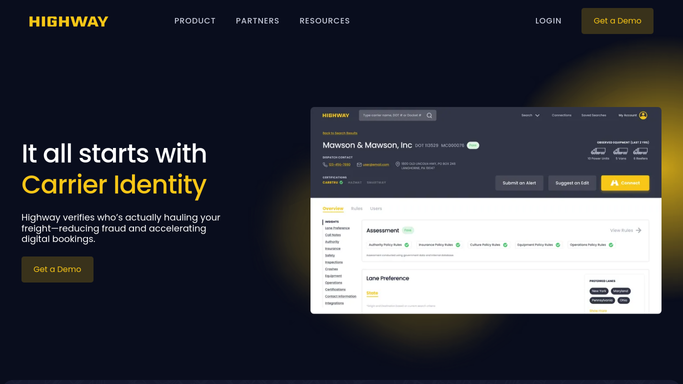
WebRun opens Highway and assembles the new carrier's vetting packet. - Open the newly onboarded carrier in Highway
- Pull the identity, rightful-owner, authority, and insurance results into one packet
- Note any warning, dispatch-service flag, or open item that a reviewer should see
Done when The new carrier's vetting results are gathered into one review packet.
-
2
Gmail - draft the compliance-review email
gmail.com How to Automate Gmail

WebRun drafts the review email with the packet highlights and leaves it unsent. - Draft a compliance-review email to the reviewer with the packet highlights
- List the checks that passed and any warnings that need a decision
- Save it as a draft and leave it unsent for the reviewer to approve
Done when A compliance-review email sits ready as a draft in Gmail, unsent.
-
3
Slack - tell the team the packet is ready
slack.com How to Automate Slack

WebRun posts the team a note that the new carrier packet is ready. - Post your team a short note that a new carrier packet is ready for review
- Name the carrier and flag any warning up front
- Note that the review email is waiting in Gmail as a draft
Done when The team has the packet-ready note in Slack.
How is each run configured?
Secure by default
Connect once, stays signed in
WebRun signs in once and keeps each session in a persistent environment, so every run picks up right where it left off.
Every action is checked against this policy before it runs.
Questions, answered
Will it send the review email on its own?
No. WebRun drafts the compliance-review email in Gmail and leaves it unsent. A reviewer reads the packet, edits if needed, and sends it, so nothing goes out until a person approves it.
What goes into the packet?
The packet gathers the carrier's Highway results: identity, rightful-owner, authority, and insurance checks, plus any dispatch-service flag or open warning, so a reviewer sees the whole picture in one place.
Does the carrier see any of this?
No. The drafted email is addressed to your internal reviewer, and the Slack note goes to your team. Nothing is sent to the carrier, so the review stays entirely inside your organization.
Related templates
Put this on autopilot.
Turn it on in minutes - or have our team set it up for you.