Reconcile onboarded carriers against your TMS roster
Every morning, WebRun pulls the carriers vetted in Highway, pulls your active carrier roster from McLeod, matches them, logs any carrier that is live in one system but missing or mismatched in the other, and posts your team a Slack reconciliation list so your TMS and your vetting stay in sync.
- No credit card
- Under $0.01 per run
- Cancel anytime
How do I reconcile my vetted carriers against my TMS roster?
WebRun keeps your TMS and vetting in sync. Each morning it pulls the vetted carriers from Highway and your active roster from McLeod, matches them by MC or USDOT number, and posts your team a Slack list of any carrier live in one system but missing or mismatched in the other, so a person can close every gap before dispatch.
- Unvetted carriers on the roster are caught daily
- Vetting and TMS point at the same carrier list
- Gaps are surfaced for a person, not silently edited
Built for freight brokers · 3PLs · carrier ops teams · TMS administrators
What does WebRun do on every run?
The exact actions WebRun takes, in order - in plain language, so you can adjust anything.
-
WebRun signs in and gets to work
Opens
gohighway.comin a real browser with your saved login - no setup, no API keys. -
1
Highway - pull the vetted carrier list
gohighway.com How to Automate Highway
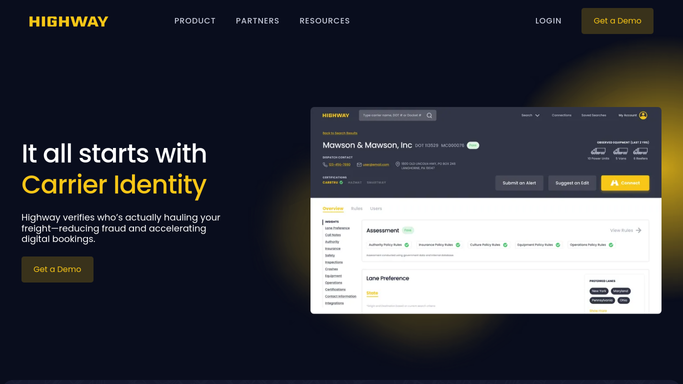
WebRun opens Highway and pulls the vetted, onboarded carrier list. - Open Highway and export the list of vetted, onboarded carriers
- Capture each carrier's MC or USDOT number and vetting status
- Hold this as the vetted side of the match
Done when The Highway vetted-carrier list is captured with MC or USDOT numbers.
-
2
McLeod - pull the TMS roster
mcleodsoftware.com
WebRun opens McLeod and matches the roster against the vetted list. - Open McLeod and pull your active carrier roster
- Match each roster carrier to the Highway list by MC or USDOT number
- Flag any carrier active in McLeod but not vetted in Highway, or vetted but not on the roster
Done when Every roster and vetted carrier is matched or flagged as a gap.
-
3
Slack - post the reconciliation list
slack.com How to Automate Slack

WebRun posts the team the carrier reconciliation list. - Post your team the reconciliation list of gaps and mismatches
- Split it into carriers on the roster but not vetted, and vetted but not on the roster
- Leave the fixes to a person so no system is edited automatically
Done when The team has today's carrier reconciliation list in Slack.
How is each run configured?
Secure by default
Connect once, stays signed in
WebRun signs in once and keeps each session in a persistent environment, so every run picks up right where it left off.
Every action is checked against this policy before it runs.
Questions, answered
Will it edit my TMS or Highway?
No. WebRun only reads both systems and posts a Slack reconciliation list. It never adds, removes, or edits a carrier in McLeod or Highway, so a person makes every fix.
How does it match carriers across the two systems?
It matches on the MC or USDOT number, the identifier both systems carry, so a carrier is paired even when the display name differs, and only genuine gaps are flagged.
Why reconcile at all?
Because a carrier active in your TMS but not vetted in Highway can haul unchecked, and a vetted carrier missing from the roster cannot be booked. Reconciling daily keeps your dispatch and your vetting pointed at the same list.
Related templates
Put this on autopilot.
Turn it on in minutes - or have our team set it up for you.