Keep your keg float reconciled without the manual count
Every Monday, WebRun opens Ekos, reads keg-tracking data across distributors, accounts, and your own cellar, reconciles kegs-out against your float target, logs the variance by account to Google Sheets, and posts a summary to Slack so your team can chase overdue returns.
- No credit card
- Under $0.01 per run
- Cancel anytime
How do I automatically reconcile my brewery keg inventory each week?
WebRun pulls keg location and return data from Ekos every Monday, reconciles your float against distributor and account positions, logs variance by account in Google Sheets, and posts a Slack summary flagging the biggest overdue balances so your team can prioritize keg-return follow-ups.
- Keg float is reconciled weekly without a manual count
- Overdue accounts are surfaced every Monday before kegs age further
- Historical float data builds automatically in Google Sheets for trend review
Built for craft breweries · operations managers · distribution managers · cellar staff
What does WebRun do on every run?
The exact actions WebRun takes, in order - in plain language, so you can adjust anything.
-
WebRun signs in and gets to work
Opens
app.goekos.comin a real browser with your saved login - no setup, no API keys. -
1
Ekos - pull keg location and status data
goekos.com How to Automate Ekos
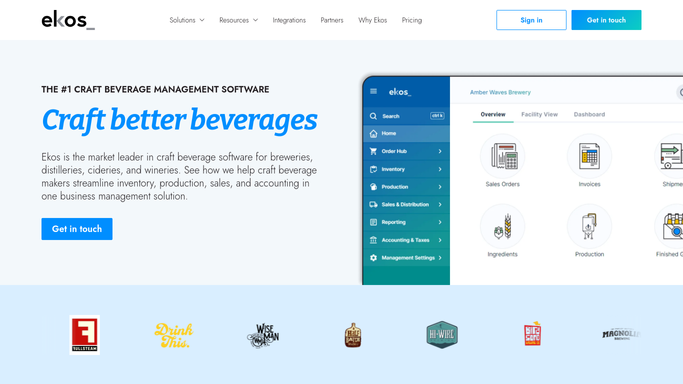
WebRun opens Ekos to pull keg location and status data. - Open Ekos and navigate to Keg Tracking
- Pull the full keg register: keg ID, current location (own cellar, distributor, or account), status, and days out
- Identify kegs marked as out that have exceeded your standard return window
- Total kegs by location and compare against your float target
Done when All keg location and overdue-return data is captured with days-out figures per account.
-
2
Google Sheets - log reconciliation and variance by account
google.com How to Automate Google Sheets

WebRun opens Google Sheets to log reconciliation and variance by account. - Open the keg reconciliation Google Sheet
- Update this week's tab with keg counts by location and account
- Add a variance column showing kegs over the return window for each account
- Highlight accounts where the variance exceeds your defined threshold
Done when This week's reconciliation tab is updated with current keg float data and variances.
-
3
Slack - post weekly float summary
slack.com How to Automate Slack

WebRun opens Slack to post weekly float summary. - Post a weekly keg float summary to your operations Slack channel
- List total kegs out, kegs overdue by account, and the link to the Google Sheet
- Flag accounts with the largest overdue counts so your team can prioritize follow-up
Done when Your operations team has this week's keg float status and overdue list in Slack.
How is each run configured?
Secure by default
Connect once, stays signed in
WebRun signs in once and keeps each session in a persistent environment, so every run picks up right where it left off.
Every action is checked against this policy before it runs.
Questions, answered
Does it contact distributors or accounts to chase kegs?
No. The reconciliation and reporting is entirely internal. WebRun flags overdue kegs by account in Slack so your team can follow up directly. No message goes to an external account without human action.
What counts as an overdue keg return?
It uses the return window you define in the setup. You can set different windows for distributors and on-premise accounts, and the report flags any keg past its window.
Will it overwrite historical data in the Google Sheet?
No. Each Monday's run adds a new dated tab or rows to a weekly log, so your historical reconciliation data is preserved for trend analysis.
Related templates
Put this on autopilot.
Turn it on in minutes - or have our team set it up for you.