Flag batches ready to package before they sit too long
Every morning, WebRun opens Ekos, reviews active batch records for final gravity readings and target conditioning days, identifies every batch cleared for packaging, and posts a digest to Slack so your packaging crew knows exactly what is ready to pull.
- No credit card
- Under $0.01 per run
- Cancel anytime
What does WebRun do on every run?
The exact actions WebRun takes, in order - in plain language, so you can adjust anything.
-
WebRun signs in and gets to work
Opens
app.goekos.comin a real browser with your saved login - no setup, no API keys. -
1
Ekos - review active batch conditioning data
goekos.com How to Automate Ekos

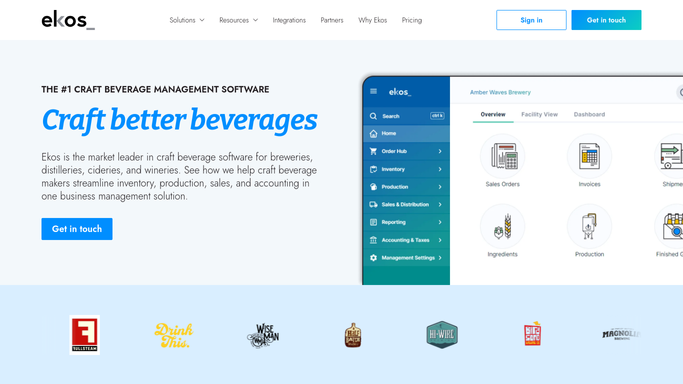
WebRun opens Ekos to review active batch conditioning data. - Open Ekos and navigate to the Production section
- Pull all active batches currently in conditioning or bright tank
- Check each batch for final gravity readings and compare against target
- Check conditioning days elapsed against the minimum conditioning target for each recipe
- List every batch where gravity is at target and conditioning days are met
Done when Every batch cleared for packaging is identified with batch number, beer name, vessel, and volume.
-
2
Slack - post packaging-ready digest to floor team
slack.com How to Automate Slack
WebRun opens Slack to post packaging-ready digest to floor team. - Post a packaging-ready digest to the production Slack channel
- List each ready batch with its batch number, beer name, tank, and approximate package volume
- Flag any batch approaching maximum conditioning time as a priority
Done when The packaging crew has a clear, prioritized list of batches to pull in Slack.

How do I automatically flag brewery batches ready to package?
WebRun reviews every active batch in Ekos each morning, checks final gravity and conditioning days against recipe targets, and posts a packaging-ready list to Slack so your floor team knows exactly what to pull before the shift starts. Over-conditioning batches are flagged as priorities.
- Packaging crew starts each shift with a clear pull list, no manual lookup needed
- Over-conditioning batches are flagged before quality is affected
- Production bottlenecks surface daily instead of weekly
Built for craft breweries · production managers · packaging coordinators · head brewers
How is each run configured?
Secure by default
Connect once, stays signed in
WebRun signs in once and keeps each session in a persistent environment, so every run picks up right where it left off.
Every action is checked against this policy before it runs.
Questions, answered
How does it know a batch is ready to package?
It reads the final gravity readings and conditioning days logged in Ekos and compares them against the target values in each batch record. A batch appears on the list only when both conditions are met.
Will it post to Slack if nothing is ready to package today?
Yes. It posts a brief message noting that no batches are cleared today, so your team always gets a confirmation rather than silence.
Can it flag batches that are over-conditioning?
Yes. Any batch that has exceeded its maximum conditioning window is marked as a priority in the Slack digest so your team can act before quality is affected.
Related templates
Put this on autopilot.
Turn it on in minutes - or have our team set it up for you.