Confirm distributor orders so nothing slips through
Every morning, WebRun opens Ekos, finds new distributor orders that have not yet been confirmed, checks finished-goods inventory for each SKU ordered, drafts a confirmation email per distributor with availability and ship dates, and posts a Slack alert for your sales team to review and send.
- No credit card
- Under $0.01 per run
- Cancel anytime
What does WebRun do on every run?
The exact actions WebRun takes, in order - in plain language, so you can adjust anything.
-
WebRun signs in and gets to work
Opens
app.goekos.comin a real browser with your saved login - no setup, no API keys. -
1
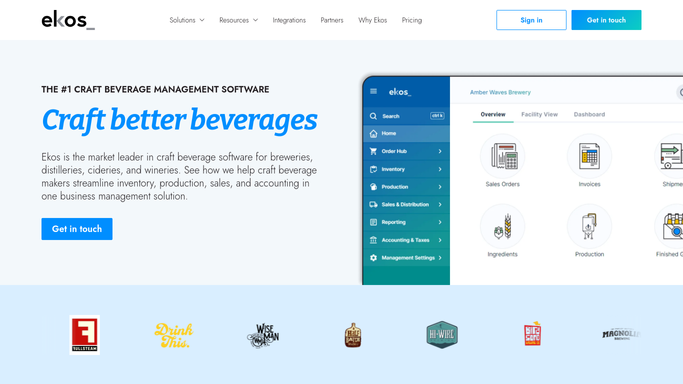
Ekos - find new unconfirmed distributor orders
goekos.com How to Automate Ekos

WebRun opens Ekos to find new unconfirmed distributor orders. - Open Ekos and navigate to Sales Orders
- Filter to orders in a pending or unconfirmed status
- For each order, capture the distributor name, SKUs, quantities requested, and order date
- Check current finished-goods inventory for each SKU to confirm availability
- Note any SKUs with insufficient stock for partial-fill or back-order situations
Done when Every unconfirmed distributor order is matched against available finished-goods inventory.
-
2
Gmail - draft confirmation email per distributor
gmail.com How to Automate Gmail
WebRun opens Gmail to draft confirmation email per distributor. - Draft one confirmation email per distributor using your standard order-confirmation tone
- Include confirmed SKUs, quantities, and expected ship date for available items
- Note any back-ordered or short-shipped items clearly in the draft
- Save each draft in Gmail Drafts without sending
Done when One unsent confirmation draft per distributor is saved in Gmail Drafts.
-
3
Slack - alert sales team to review drafts
slack.com How to Automate Slack
WebRun opens Slack to alert sales team to review drafts. - Post a Slack alert to your sales channel listing each distributor with a pending draft
- Note any orders with stock shortfalls that need a decision before sending
- Prompt the team to open Gmail Drafts and review before sending
Done when Sales team has a Slack prompt with the list of drafts awaiting their review.


How do I automatically confirm distributor orders from my brewery?
WebRun checks Ekos for unconfirmed distributor orders every morning, cross-references finished-goods inventory for each SKU, and drafts a confirmation email per distributor in Gmail with availability and ship dates. A Slack alert prompts your sales team to review and send each draft before it reaches a distributor.
- Every distributor order gets a draft confirmation the same morning it arrives
- Stock shortfalls are surfaced before a confirmation goes out
- No order confirmation reaches a distributor without a human review
Built for craft breweries · sales teams · distribution managers · taproom operators
How is each run configured?
Secure by default
Connect once, stays signed in
WebRun signs in once and keeps each session in a persistent environment, so every run picks up right where it left off.
Every action is checked against this policy before it runs.
Questions, answered
Will it send the confirmation email to the distributor automatically?
No. Every confirmation is saved as a Gmail Draft and a Slack alert prompts your team to review it. No email goes to a distributor without a human reading and sending it.
What happens if there is not enough stock to fill an order?
The draft flags the shortfall clearly, noting which SKUs can be confirmed and which are back-ordered or short-shipped, so your team can decide how to handle it before responding.
Can it handle multiple distributors in one run?
Yes. It creates one draft confirmation email per distributor covering all their open orders, so your team reviews one email per distributor rather than one per order line.
Related templates
Put this on autopilot.
Turn it on in minutes - or have our team set it up for you.