Recover canceled and no-show OR block time before it goes to waste
Every morning, WebRun opens HST Pathways, finds canceled or no-show cases from the last 24 hours, logs the freed block time to a Google Sheet, drafts patient outreach for your team to review, and posts the open slots to Slack so coordinators can fill them fast.
- No credit card
- Under $0.01 per run
- Cancel anytime
How can an ambulatory surgery center recover canceled OR block time automatically?
WebRun checks HST Pathways every morning for canceled or no-show surgical cases, logs the freed OR block time to a Google Sheet with matching waitlist candidates, and posts open slots to Slack so coordinators can act fast. Patient outreach is drafted for human review before any message is sent.
- Open OR slots are identified and logged within minutes of the morning run
- Coordinators reach Slack with a prioritized list before the day starts
- No patient contact goes out without coordinator approval
Built for ASC administrators · OR scheduling coordinators · ambulatory surgery centers
What does WebRun do on every run?
The exact actions WebRun takes, in order - in plain language, so you can adjust anything.
-
WebRun signs in and gets to work
Opens
www.hstpathways.comin a real browser with your saved login - no setup, no API keys. -
1
HST Pathways - find canceled and no-show cases
hstpathways.com How to Automate HST Pathways
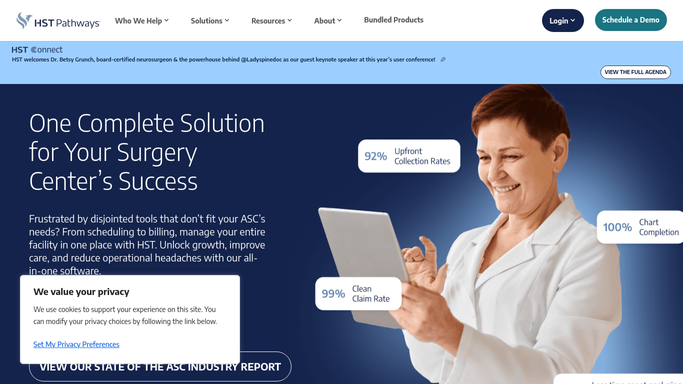
WebRun opens HST Pathways to find canceled and no-show cases. - Open HST Pathways and navigate to the surgical schedule for today and tomorrow
- Find cases marked as canceled, no-show, or late cancellation
- Capture the OR room, block time, surgeon, and procedure type for each open slot
- Note any waitlisted cases that match the available time and room
Done when Every canceled slot has been identified with its details and any matching waitlist candidates.
-
2
Google Sheets - log open block time
google.com How to Automate Google Sheets

WebRun opens Google Sheets to log open block time. - Open the ASC block-time recovery tracker sheet
- Add a row for each open slot with date, room, duration, surgeon, and cancellation reason
- Mark any waitlist candidate matches in the adjacent column
Done when All open slots are logged in the recovery tracker with candidate matches noted.
-
3
Slack - alert coordinators to open slots
slack.com How to Automate Slack

WebRun opens Slack to alert coordinators to open slots. - Post a summary of open OR slots to the scheduling channel, listing room, time, and any waitlist matches
- Flag same-day openings at the top so coordinators can act immediately
- Leave patient outreach drafts in the sheet for coordinator review before any contact is made
Done when Coordinators have today's open-slot list in Slack and drafts ready to review.
How is each run configured?
Secure by default
Connect once, stays signed in
WebRun signs in once and keeps each session in a persistent environment, so every run picks up right where it left off.
Every action is checked against this policy before it runs.
Questions, answered
Will WebRun contact patients directly to fill the open slot?
No. Patient outreach is always drafted and left in the Google Sheet for a coordinator to review and approve before any message is sent. No patient is contacted without human sign-off.
How does it know which waitlisted patients could fill the slot?
It reads the procedure type, room, and duration from the canceled case in HST Pathways and matches them against waitlisted cases with the same or compatible attributes.
What if a case was canceled for a clinical reason that makes rescheduling inappropriate?
The coordinator reviews every draft before any outreach is sent, so clinically sensitive cancellations can be removed from the list before contact is made.
Related templates
Put this on autopilot.
Turn it on in minutes - or have our team set it up for you.