Close patient care gaps with timely, coordinator-approved outreach
Every morning, WebRun opens HST Pathways, identifies patients with outstanding care gaps from recent cases, such as missing post-op instructions or outstanding follow-up orders, drafts outreach for each in Gmail for clinical staff to review, and logs every gap to a care coordination tracker in Google Sheets.
- No credit card
- Under $0.01 per run
- Cancel anytime
What does WebRun do on every run?
The exact actions WebRun takes, in order - in plain language, so you can adjust anything.
-
WebRun signs in and gets to work
Opens
www.hstpathways.comin a real browser with your saved login - no setup, no API keys. -
1
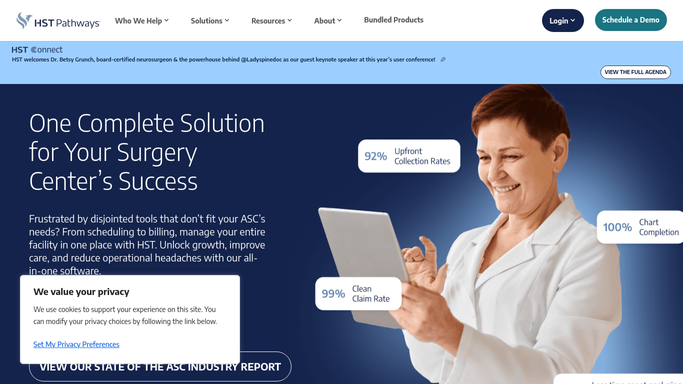
HST Pathways - identify patients with outstanding care gaps
hstpathways.com How to Automate HST Pathways

WebRun opens HST Pathways to identify patients with outstanding care gaps. - Open HST Pathways and navigate to patient records or discharge documentation
- Identify patients from the prior two weeks with outstanding care gaps: missing post-op instructions, incomplete discharge orders, or unfulfilled follow-up referrals
- Capture the patient case ID, gap type, responsible surgeon, and days since discharge for each
- Flag gaps that are more than three days old as high priority
Done when All patients with outstanding care gaps are listed with gap type, age, and priority level.
-
2
Google Sheets - log care gap coordination tracker
google.com How to Automate Google Sheets
WebRun opens Google Sheets to log care gap coordination tracker. - Open the care gap coordination tracker sheet
- Add a row for each patient with case ID, gap type, days since discharge, priority, and outreach status
- Mark high-priority gaps (over 3 days old) with a flag for clinical team review
Done when All outstanding care gaps are logged and prioritized in the tracker.
-
3
Gmail - draft care gap outreach for staff review
gmail.com How to Automate Gmail
WebRun opens Gmail to draft care gap outreach for staff review. - Draft a care coordination message for each patient covering the specific gap that needs resolution
- Use clinical language appropriate to the gap type: missing instructions, follow-up scheduling, or outstanding referral
- Save every draft as unsent for clinical staff to review and approve before any patient contact
Done when A draft care gap outreach email exists for every flagged patient, held for clinical review.


How can an ASC automatically identify and follow up on patient care gaps after surgery?
Every morning, WebRun scans HST Pathways for patients with outstanding care gaps from recent surgical cases, including missing post-op instructions and unfulfilled follow-up orders, drafts a care coordination email for each in Gmail for clinical staff review, and logs every gap to a Google Sheets tracker. No patient is contacted until clinical staff approve the draft.
- Outstanding care gaps are identified daily, not at the end of the month
- Clinical staff review every draft before patient contact, keeping outreach appropriate
- High-priority gaps older than 3 days are flagged automatically in the tracker
Built for ASC clinical coordinators · post-op nursing staff · care management teams · ambulatory surgery center administrators
How is each run configured?
Secure by default
Connect once, stays signed in
WebRun signs in once and keeps each session in a persistent environment, so every run picks up right where it left off.
Every action is checked against this policy before it runs.
Questions, answered
Will WebRun contact patients directly about their care gap?
No. All outreach emails are saved as unsent Gmail drafts for clinical staff to review, edit if needed, and approve before any message is sent to a patient. No patient contact happens automatically.
What types of care gaps does it flag?
It flags gaps in HST Pathways such as missing post-op instructions, incomplete discharge documentation, and outstanding follow-up referral orders for cases completed in the prior two weeks.
What if the care gap was already resolved after the last system update?
WebRun re-checks HST Pathways each morning and excludes patients whose gaps have since been marked as resolved, so the tracker reflects only genuinely outstanding items.
Related templates
Put this on autopilot.
Turn it on in minutes - or have our team set it up for you.