How to Automate HST Pathways
HST Pathways automates the case from booking through payment posting. Case Coordination runs scheduling, block release and case notifications, and Practice Management covers claims, eligibility and implant inventory. Prior authorisations, medical clearances and credential expiry dates sit on payer and licensing sites, and an agent like WebRun is what checks those overnight.
 Written by
Grace Okafor
Healthcare operations
Written by
Grace Okafor
Healthcare operations
 Reviewed by
Nora Whitfield
Editorial lead
Reviewed by
Nora Whitfield
Editorial lead
A surgery centre sells operating room time
HST Pathways is cloud software for ambulatory surgery centres, where a cataract, a knee scope or a pain injection happens without an overnight stay. Schedulers, nurses, billers and coders work in it, along with the anaesthesia group and the surgeons' offices that book cases into the centre.
A surgery centre is an unusual business. It owns one expensive thing, the operating room, and most of what happens to its month is decided by how full that room was and how quickly each case turned over. A case cancelled at eight in the morning is a room sitting idle that nobody can refill by nine.
So the centre runs on the case, and on the schedule its cases sit in. Every case has to be booked, authorised, cleared, staffed, supplied with the right implant, charted, coded and billed. Almost every one of those steps has somebody outside the building attached to it.
The clearance work happens before anyone scrubs in
A case on the schedule is not yet a case that will happen. Between the booking and the morning of surgery sits a queue of confirmations, and most of them live somewhere the centre does not control.
The payer has to authorise the procedure, and that authorisation carries a start date and an expiry nobody is watching except whoever checked it last. The surgeon's office has to send the history and physical, the medical clearance, the cardiology sign-off. Eligibility has to still be true on the day of surgery rather than on the day of booking. The implant rep has to confirm the tray will arrive.
Then the licences. Every clinician's state licence, DEA registration and BLS card, plus the credentialing file each payer keeps its own copy of. Each carries an expiry date on somebody else's website, and one lapsed card can close a room for a day.
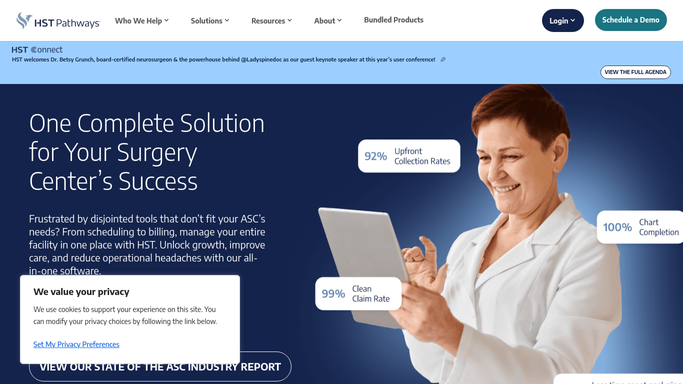
HST covers the case from booking to payment posting
HST is a broad platform, and a centre should be honest about how much of this it already handles.
HST Case Coordination runs the schedule. Broadcast Scheduling pushes open OR availability out to physician offices, block time management applies automated release rules so unused block does not sit quietly, and case notifications keep staff, physicians, vendors and anaesthesia providers aligned, with automated text alerts to a patient's family during the case. HST Practice Management handles billing and coding, claims, electronic eligibility verification, payment posting and automated claim resubmission, alongside implant and inventory management down to lot, serial and expiration tracking. HST eChart is the clinical record, and HST Patient Engagement sends patient texting and pre-assessments.
That is a great deal of ground, and all of it rests on one condition. The information is already inside HST, or it arrives through a channel HST was built to receive.
A payer's prior authorisation portal is not such a channel. Neither is a state licensing board, a referring surgeon's own practice management system, or the lab that never interfaced. Those decide whether Thursday's list can go ahead, and the only way into them is a person with a login.
Tomorrow's board can be checked while the centre is dark
The night before is only a gamble because nobody is awake to check. Those portals do not close at five, and a scheduler's login works at any hour.
Every case on tomorrow's board run against the payer's own portal overnight: authorisation still active, benefits unchanged since booking, nothing quietly expired in between. A problem found at two in the morning is a phone call at eight. Found at eight, it is an empty room.
Clearances chased where they actually sit: the cardiology sign-off in a referring office's portal, the history and physical that was faxed and never arrived, the pre-op labs on a portal that never interfaced. Checked daily against the next fortnight of cases, so a missing sign-off goes back to the referring office rather than turning into a cancellation on the day.
Credentials watched on the boards that issue them, so a renewal is a note in March instead of a nurse sent home in April. Denials pulled off each payer portal with their appeal windows attached, soonest first.
One line does not move in a clinical setting. The gathering runs unattended, at night, as often as you want. Anything that changes a clinical or billing record, or that reaches a patient, is prepared and waits for a qualified person. The fetching goes away, the judgement does not.
A full room tomorrow depends on what got checked tonight
Somebody at the centre is going to open the payer portal before tomorrow's list. The only variable is whether they do it the night before, or at four in the afternoon when a cancelled slot can no longer be refilled.
WebRun is an agent that works a real Chrome browser, signed in the way your staff sign in. It opens the payer's portal, the referring office's system, the lab or the licensing board, reads what is on the screen, and hands back a list against tomorrow's cases with the dates attached.
It runs on your schedule inside your own private environment, sessions are not shared between tools, and a workflow can be locked to a named list of sites. You can watch a run and stop it.
Each workflow below names the sites it opens before it opens them.
Questions people ask
Will it change anything on a case or a claim by itself?
No. It gathers, compares and flags. Anything that alters a clinical or billing record, or that reaches a patient, is prepared and left for a qualified person to review and release.
Our payer portals have no API at all. Is that a problem?
That is the reason to use it. It reads a portal the way your scheduler does, clicking the same screens, so a site with no export and no interface is exactly the case it was built for.
How is patient information handled during a run?
Sessions stay inside your own private environment and are not shared with other tools in a workflow, and a workflow can be restricted to a named list of domains. It sees what the staff member signing in can see, and nothing more.
13 ready-made HST Pathways workflows
Each one names the apps it touches and the exact steps it takes. Open one to read what it will do, then turn it on.




Want one of these running on your own HST Pathways?
Show WebRun the process once and it will run it on schedule, in your own private browser environment.