Build your ASC's online reputation with post-visit review requests
Every morning, WebRun opens HST Pathways, finds cases marked as completed in the prior 24 hours, drafts a post-visit review request email for each patient in Gmail, logs every draft to a tracking sheet, and holds all messages for staff approval before any review request reaches a patient.
- No credit card
- Under $0.01 per run
- Cancel anytime
What does WebRun do on every run?
The exact actions WebRun takes, in order - in plain language, so you can adjust anything.
-
WebRun signs in and gets to work
Opens
www.hstpathways.comin a real browser with your saved login - no setup, no API keys. -
1
HST Pathways - find cases completed in the last 24 hours
hstpathways.com How to Automate HST Pathways

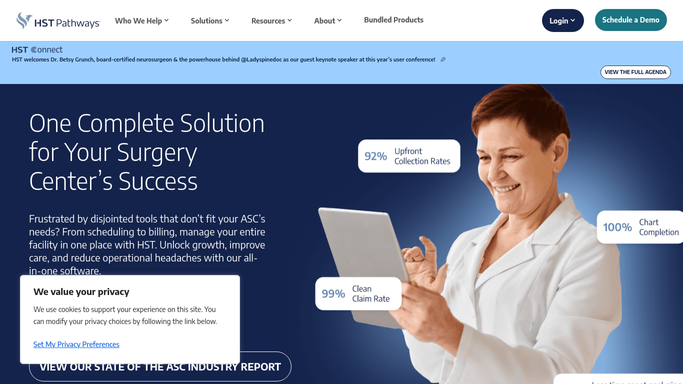
WebRun opens HST Pathways to find cases completed in the last 24 hours. - Open HST Pathways and navigate to the schedule or visit list
- Filter for cases marked as completed or discharged in the last 24 hours
- Capture the case ID, procedure type, surgeon, and completion date for each
- Exclude any cases flagged as complications or where review outreach would be inappropriate
Done when All completed cases from the prior 24 hours are identified with procedure and surgeon details.
-
2
Gmail - draft post-visit review request emails
gmail.com How to Automate Gmail
WebRun opens Gmail to draft post-visit review request emails. - Draft a warm, personalized post-visit review request for each eligible completed case
- Include a thank-you, the procedure type, and a link placeholder to the center's review profile
- Save every draft as unsent for staff to review before any email is dispatched
Done when A draft review request email exists for every eligible completed case, held unsent for staff review.
-
3
Google Sheets - log review request status
google.com How to Automate Google Sheets
WebRun opens Google Sheets to log review request status. - Log each draft to the review request tracker sheet with case ID, procedure, completion date, and draft status
- Update status to sent once staff approve and dispatch each draft
- Track monthly review request volume so the team can monitor outreach trends
Done when All eligible completed cases are logged with draft and sent status in the tracker.


How can an ambulatory surgery center automate post-visit review request emails?
Every morning, WebRun finds cases completed in the prior 24 hours in HST Pathways, drafts a personalized post-visit review request email in Gmail for each eligible patient, and logs every draft to a Google Sheets tracker. Staff review and approve each message before any review request is sent to a patient.
- Every eligible completed case generates a review request draft without anyone having to remember
- Staff approve each message before patient contact, keeping outreach appropriate
- Monthly review request volume is tracked automatically in Google Sheets
Built for ASC administrators · patient experience coordinators · ambulatory surgery center marketing staff
How is each run configured?
Secure by default
Connect once, stays signed in
WebRun signs in once and keeps each session in a persistent environment, so every run picks up right where it left off.
Every action is checked against this policy before it runs.
Questions, answered
Will WebRun send review requests to patients without staff approval?
No. All review request emails are saved as Gmail drafts and held for staff to review before any message is sent to a patient. Staff approve each draft individually.
What if a case involved a complication or a difficult patient experience?
Cases can be flagged in HST Pathways to exclude them from review outreach. Staff can also remove any draft from the queue during review before approving sends.
Where does the review link in the email point?
The link placeholder is replaced with your center's Google Business Profile, Healthgrades, or other review destination when you set up the workflow. You control where patients are directed.
Related templates
Put this on autopilot.
Turn it on in minutes - or have our team set it up for you.