Chase missing pre-op clearances so cases stay on the schedule
Every morning, WebRun opens HST Pathways, finds scheduled cases within the next five days that are missing pre-op clearance, drafts a clearance-request email for each referring physician in Gmail for staff to review, and posts the missing-clearance list to Slack so nothing falls through before surgery day.
- No credit card
- Under $0.01 per run
- Cancel anytime
What does WebRun do on every run?
The exact actions WebRun takes, in order - in plain language, so you can adjust anything.
-
WebRun signs in and gets to work
Opens
www.hstpathways.comin a real browser with your saved login - no setup, no API keys. -
1
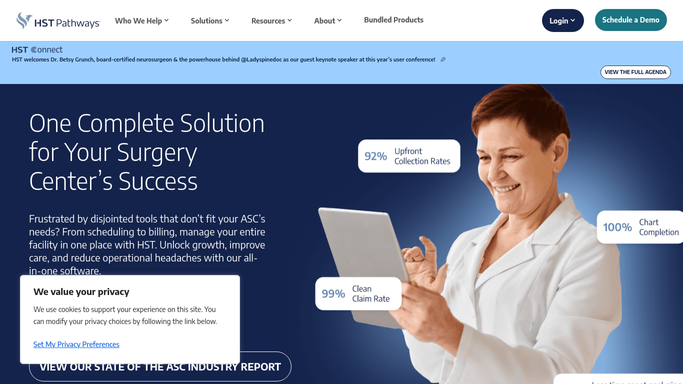
HST Pathways - find cases missing pre-op clearance
hstpathways.com How to Automate HST Pathways

WebRun opens HST Pathways to find cases missing pre-op clearance. - Open HST Pathways and navigate to the surgical schedule
- Filter for cases scheduled within the next five days
- Check pre-op clearance status for each case and flag those that are incomplete or missing
- Capture the surgeon, procedure, case date, and referring physician for each flagged case
Done when Every upcoming case missing pre-op clearance is identified with surgeon, procedure, and referring provider details.
-
2
Gmail - draft clearance requests to referring physicians
gmail.com How to Automate Gmail
WebRun opens Gmail to draft clearance requests to referring physicians. - Draft a clearance-request email to each referring physician for their pending cases
- Include the patient (by case number), procedure, surgery date, and specific clearance items still outstanding
- Leave every draft unsent for clinical staff to review before any email is dispatched
Done when A draft clearance-request email exists in Gmail for each referring physician with outstanding items, held for staff review.
-
3
Slack - post missing-clearance list for staff
slack.com How to Automate Slack
WebRun opens Slack to post missing-clearance list for staff. - Post the missing-clearance list to the scheduling or clinical channel
- Show case date, surgeon, and what clearance item is still needed for each case
- Sort by surgery date ascending so the most urgent cases appear first
Done when Staff have today's missing-clearance list in Slack sorted by urgency.


How can I automatically track and chase missing pre-op clearances for upcoming ASC cases?
WebRun checks HST Pathways every morning for surgical cases scheduled within five days that are missing pre-op clearance, drafts a clearance-request email in Gmail for each referring physician for staff to review, and posts the full missing-clearance list to Slack sorted by surgery date so nothing is missed before the OR day.
- Missing pre-op clearances are caught up to five days before surgery
- Staff start each day with a Slack list sorted by urgency
- No case reaches surgery day with a clearance gap that could cause cancellation
Built for ASC clinical coordinators · OR scheduling staff · ambulatory surgery center nurses
How is each run configured?
Secure by default
Connect once, stays signed in
WebRun signs in once and keeps each session in a persistent environment, so every run picks up right where it left off.
Every action is checked against this policy before it runs.
Questions, answered
Will WebRun send clearance-request emails to physicians without staff approval?
No. All emails to referring physicians are saved as Gmail drafts and held for clinical staff to review and approve before any message is sent.
How far out does it look for missing clearances?
It checks cases scheduled within the next five days by default, so staff have enough lead time to resolve gaps before surgery day without being overwhelmed with distant cases.
What if clearance arrives after the daily run?
The next morning's run re-checks HST Pathways and excludes any cases where clearance has since been received, so your Slack list stays accurate each day.
Related templates
Put this on autopilot.
Turn it on in minutes - or have our team set it up for you.