How to Automate Restaurant365
Restaurant365 automates the restaurant back office: AP Automation captures vendor invoices, Recipes reprice as item costs change, and Purchasing and Receiving runs the three-way match. What it cannot do is open the distributor portal, the bank or the delivery dashboards, which is the gap an agent like WebRun covers.
 Written by
Julian Adeniyi
Retail operations
Written by
Julian Adeniyi
Retail operations
 Reviewed by
Nikhil Bhatt
Automation strategist
Reviewed by
Nikhil Bhatt
Automation strategist
Restaurant365 sits above the till, not beside it
The till knows what was rung up last night. Restaurant365, R365 to almost everyone who uses it, knows what that night cost.
It is the back office for multi-unit operators: accounting, inventory and recipes, purchasing and receiving, scheduling and payroll, sitting above whatever point of sale each location happens to run. R365 united with Compeat and Ctuit in 2021, so plenty of back offices arrived here from one of those and still say the old name out of habit.
The people living in it are not chefs. They are controllers, bookkeepers, area managers and one very busy accounts payable clerk. They work on a period calendar rather than a month, they close every location's numbers at once, and they answer the same question all week: what did food and labour actually cost, by store, against what they should have.
The week arrives as a stack of vendor invoices
Every delivery leaves paper. A broadline distributor drops several invoices a week per location, and the local baker, the produce supplier, the linen company and the beer distributor all add their own.
Someone keys them. Not just the total, because a total tells you nothing: the line items are what update the cost of a case of chicken thighs, which is what updates the plate cost of every recipe using it. So an accounts payable clerk sits with a stack and types.
Then the matching. The invoice says twelve cases, the purchase order said ten, and the receiving sheet is a photograph on a manager's phone. Someone calls the store. Someone else eventually notices that the price of a case of fryer oil moved and nobody flagged it, which is why food cost is up this period and no one can say exactly where.
Meanwhile deposits have to be tied back to sales, close tasks have to be chased across every location, and period end arrives on a Tuesday whether or not the stack is finished.
Recipe costs move when the invoices get keyed
R365 automates a great deal of this, and a group that has configured it properly is already ahead of most.
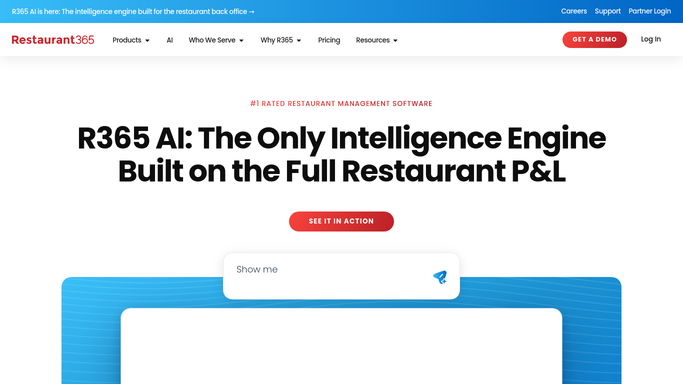
AP Automation captures vendor invoices and routes them for approval. Inventory Management and Recipes hold item-level costs, so a plate cost recalculates when a case price changes. Purchasing and Receiving runs the three-way match against the order and the receiving record. Financial Reporting, Budgeting and Forecasting close the loop, and R365 AI now sits across the modules.
All of it runs on what has already reached R365. The three-way match compares an invoice it holds against a purchase order it holds. A recipe reprices off a cost that arrived with an invoice somebody entered.
The rest of the week lives on other people's websites. The distributor's ordering portal, with next week's prices and this week's substitutions. The delivery marketplace dashboards, with commissions and adjustments the point of sale never sees. The bank. The linen account. Each is a login, and R365 has no way to open one and look.
The invoice, the order and the delivery can meet on their own
Start from what R365 already knows, and the missing half can be fetched.
The exceptions from the three-way match can arrive with the distributor's own order confirmation pulled up beside them, so the argument about twelve cases against ten is settled before anyone rings the store. The live portal price on the twenty items that genuinely move the number can be set against what R365 last paid, which turns a food cost surprise into a Tuesday email.
Recipes whose plate cost has crossed the price on the menu can be listed with both figures, costed off this week's invoices rather than last quarter's. Yesterday's deposits can be read at the bank and tied back to the sales and tenders R365 recorded, so a short deposit surfaces the next morning instead of at close. The delivery marketplaces can be checked for the payout they sent and the adjustments they took, against what the books expected.
And the close checklist can be walked across every location overnight, so the controller opens the week already knowing which store has not counted.
Nothing leaves the AP queue without a person
A controller was not hired to read the distributor's website every Tuesday. Reading it remains the only way to know.
WebRun is an AI agent that works a real Chrome browser, signed in as you. It opens R365, the distributor portal, the bank and the marketplace dashboard, reads each one, and hands back the comparison: the exception list, the price moves, the short deposit, the store that has not closed.
Money and suppliers are where it stops. A payment run gets staged and left unsent. An invoice gets prepared, not posted. Anything reaching a vendor waits for your controller to read it first. The gathering runs on a schedule in your own environment, and you can watch a run and stop it.
The cards below are the versions of that most groups turn on first.
Questions people ask
Does this replace R365 AP Automation?
No, it feeds it. AP Automation is good at capturing and routing an invoice once the invoice is in R365. WebRun handles what happens on the outside: fetching the vendor's confirmation, the portal price or the bank line that the invoice needs to be checked against.
Could a payment go out before the controller has looked at it?
No. Payment runs are staged and left unsent, and invoices are prepared rather than posted. Every step that moves money or reaches a supplier stops for a named approver. Only reading, matching and listing happen without a person present.
Our distributor redesigns its ordering site every year. Does that break things?
Less than a scripted integration would. WebRun reads the page the way a person does, finding the order screen by what it says rather than by a fixed selector, so a redesign is usually absorbed. When a page changes beyond recognition, the run reports that it could not find what it wanted.
10 ready-made Restaurant365 workflows
Each one names the apps it touches and the exact steps it takes. Open one to read what it will do, then turn it on.




Want one of these running on your own Restaurant365?
Show WebRun the process once and it will run it on schedule, in your own private browser environment.