Catch vendor price hikes on your key ingredients
Every morning, WebRun opens Restaurant365, reads the latest purchase prices for the key ingredients on your Google Sheet watchlist, compares each to its recent baseline, logs the change, and posts you a Slack alert naming any tracked item whose price jumped past the threshold you set.
- No credit card
- Under $0.01 per run
- Cancel anytime
How do I get alerted to vendor price increases on key ingredients automatically?
Every morning, WebRun reads the latest vendor prices in Restaurant365 for the key ingredients on your Google Sheet watchlist, logs each move, and posts a Slack alert whenever a tracked item jumps past your threshold. It names the vendor, the percentage move, and the recipes affected, so a cooking-oil spike prompts a decision before it quietly erodes plate margins.
- A key-ingredient price spike is flagged the day it lands, not at month end
- Slow creep across weeks is caught by a running price history
- Alerts name the recipes hit, so substitutions can be weighed at once
Built for restaurant operators · purchasing managers · culinary directors · multi-unit finance teams
What does WebRun do on every run?
The exact actions WebRun takes, in order - in plain language, so you can adjust anything.
-
WebRun signs in and gets to work
Opens
my.restaurant365.comin a real browser with your saved login - no setup, no API keys. -
1
Restaurant365 - read latest vendor prices
restaurant365.com How to Automate Restaurant365
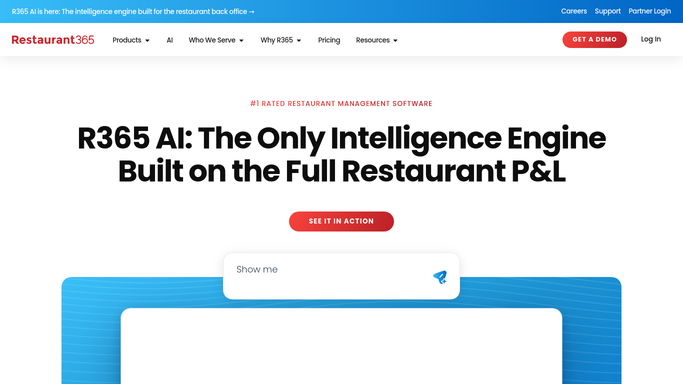
WebRun reads the latest vendor purchase prices in Restaurant365. - Open Restaurant365 and read the most recent purchase price for each ingredient on the watchlist
- Capture the vendor, unit price, and pack size behind each move
- Compare the latest price to the item's recent baseline
Done when Every watched ingredient has a current price and its change from baseline.
-
2
Google Sheets - log moves against the watchlist
google.com How to Automate Google Sheets

WebRun logs each price move against the ingredient watchlist in Google Sheets. - Open the ingredient watchlist Sheet and append today's price for each tracked item
- Keep the running price history so gradual creep is visible, not just single jumps
- Mark items now above your alert threshold versus baseline
Done when Today's prices are logged against the watchlist with threshold breaches marked.
-
3
Slack - alert on threshold breaches
slack.com How to Automate Slack

WebRun posts key-ingredient price alerts to Slack. - Post an alert naming each watched ingredient that jumped past its threshold
- Show the old and new price, the percentage move, and the vendor
- List the affected recipes so the team can weigh a substitution or a menu change
Done when The team has today's ingredient price alerts in Slack.
How is each run configured?
Secure by default
Connect once, stays signed in
WebRun signs in once and keeps each session in a persistent environment, so every run picks up right where it left off.
Every action is checked against this policy before it runs.
Questions, answered
Does it contact the vendor or change anything?
No. WebRun only reads prices in Restaurant365, logs them to your Sheet, and alerts you in Slack. It never emails a vendor, changes a price, or edits a recipe, so it informs you without taking any action on its own.
Which ingredients does it watch?
The ones on your Google Sheet watchlist, typically the high-spend or high-volatility items like proteins and cooking oil. You control the list and the alert threshold, and WebRun tracks exactly those.
Will it catch slow creep, not just big jumps?
Yes. WebRun keeps a running price history in the Sheet, so it can flag an ingredient that has crept up steadily over weeks as well as one that spiked overnight, both against your threshold.
Related templates
Put this on autopilot.
Turn it on in minutes - or have our team set it up for you.