Confirm anesthesia facility coverage assignments before every OR day
Every morning, WebRun opens Graphium Health and Google Calendar, reviews tomorrow's OR schedule across all contracted facilities, checks that every room has an anesthesia provider assigned with no conflicts or double-bookings, flags any uncovered rooms or scheduling gaps, and posts a coverage confirmation or alert to your scheduling director in Slack.
- No credit card
- Under $0.01 per run
- Cancel anytime
How do I automatically confirm anesthesia coverage assignments for every OR facility?
WebRun opens Graphium Health and Google Calendar every morning, reviews tomorrow's OR schedule across all contracted facilities, and confirms every room has an anesthesia provider assigned with no conflicts. A coverage confirmation or gap alert is posted to your scheduling director in Slack by mid-morning, so every uncovered OR room is caught and filled the day before, not the morning of.
- Coverage gaps are caught the day before, not the morning of, eliminating last-minute scrambles
- All contracted facilities are checked in a single automated run regardless of group size
- Scheduling directors receive a green or red status message each morning at a glance
Built for anesthesia scheduling directors · anesthesia group administrators · anesthesia practice managers · multi-site anesthesia groups
What does WebRun do on every run?
The exact actions WebRun takes, in order - in plain language, so you can adjust anything.
-
WebRun signs in and gets to work
Opens
app.graphiumhealth.comin a real browser with your saved login - no setup, no API keys. -
1
Graphium Health - review provider coverage assignments for tomorrow
graphiumhealth.com How to Automate Graphium Health
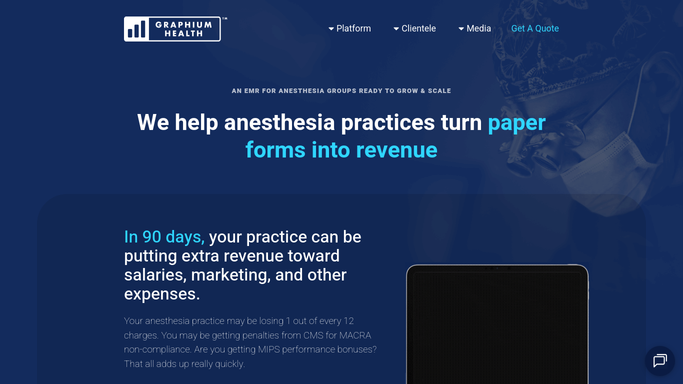
WebRun opens Graphium Health to review provider coverage assignments for tomorrow. - Open Graphium Health and navigate to the staffing and coverage schedule for tomorrow's date
- List all contracted facilities and OR rooms expected to be active tomorrow
- For each room, confirm a provider is assigned with no scheduling conflict
- Flag any OR room with no provider assigned, a double-booking, or a provider whose credential expires before tomorrow
Done when Every OR room scheduled for tomorrow has been checked and coverage gaps or conflicts are identified.
-
2
Google Calendar - cross-check coverage against the OR block schedule
calendar.google.com How to Automate Google Calendar

WebRun opens Google Calendar to cross-check coverage against the OR block schedule. - Cross-reference the Graphium Health coverage list against the shared anesthesia coverage calendar
- Check for provider time-off entries or conflicts that could affect the assigned coverage
- Note any discrepancies between the Graphium Health assignment and the calendar entry for the same provider
Done when The Graphium Health coverage assignments are reconciled against the Google Calendar entries for tomorrow.
-
3
Slack - post coverage confirmation or gap alert
slack.com How to Automate Slack

WebRun opens Slack to post coverage confirmation or gap alert. - Post a coverage summary to the scheduling-director Slack channel listing all facilities, room counts, and confirmed provider assignments
- Highlight any uncovered rooms or conflicts at the top of the message so the director can act immediately
- Send the post as a green-status message if all rooms are covered or a red-alert message if any gap exists
Done when The scheduling director has tomorrow's coverage confirmation or gap alert in Slack by mid-morning.
How is each run configured?
Secure by default
Connect once, stays signed in
WebRun signs in once and keeps each session in a persistent environment, so every run picks up right where it left off.
Every action is checked against this policy before it runs.
Questions, answered
Does it contact facilities or providers to fill coverage gaps automatically?
No. WebRun alerts your scheduling director to the gap in Slack. All provider outreach to fill uncovered rooms is handled by your scheduling team. No automated messages are sent to providers or facilities.
How does it handle multi-site groups with many facilities?
It reads all contracted facilities and their OR rooms from Graphium Health's coverage schedule, so all sites are checked in a single run regardless of how many facilities your group covers.
What if a coverage assignment is made after the morning run?
The run checks tomorrow's schedule, so any assignments made before the next morning's run will be picked up at that point. For same-day emergency changes, your scheduling director can trigger a manual run.
Related templates
Put this on autopilot.
Turn it on in minutes - or have our team set it up for you.