Catch every negative Amazon review and draft a response before it hurts your ranking
Every morning, WebRun checks Helium 10 Alerts for new 1-to-2 star reviews across your ASINs, reads the full review text in Amazon Seller Central, drafts a customer-friendly response in Gmail for your approval, and flags any review that may qualify for a policy violation report.
- No credit card
- Under $0.01 per run
- Cancel anytime
 Amazon Seller Central
read full review text and order context
Amazon Seller Central
read full review text and order context
How do I automatically track and respond to negative Amazon reviews?
WebRun checks Helium 10 Alerts every morning for new 1-to-2 star Amazon reviews, reads the full text in Seller Central, and saves a drafted response in Gmail for your approval before anything goes public. Reviews with possible policy violations are flagged separately for you to report.
- Every negative review is caught within hours of posting
- Draft responses are ready for approval before the review influences shoppers
- Policy-violating reviews are flagged automatically for your report submission
Built for Amazon private-label sellers · FBA brand owners · Amazon agency managers · ecommerce brand teams
What does WebRun do on every run?
The exact actions WebRun takes, in order - in plain language, so you can adjust anything.
-
WebRun signs in and gets to work
Opens
helium10.com/alertsin a real browser with your saved login - no setup, no API keys. -
1
Helium 10 - detect new 1-to-2 star reviews via Alerts
helium10.com How to Automate Helium 10
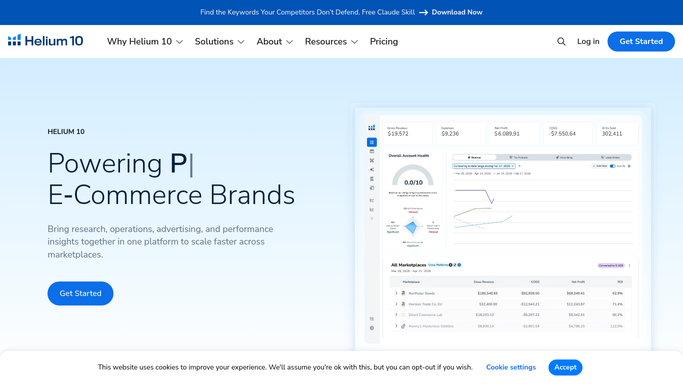
WebRun opens Helium 10 to detect new 1-to-2 star reviews via Alerts. - Open Helium 10 and go to Alerts
- Filter notifications to show only new reviews with a 1 or 2 star rating posted in the last 24 hours
- Capture the ASIN, star rating, review headline, and date for each flagged review
Done when All new 1-to-2 star reviews are listed with their ASIN and headline.
-
2
Amazon Seller Central - read full review text and order context

WebRun opens Amazon Seller Central to read full review text and order context. - Open Seller Central and locate each flagged review in Account Health or the listing's review section
- Read the full review body and note any factual errors or policy violations
- Check whether the reviewer's complaint relates to a known product or fulfillment issue
Done when Full review text and context are captured for every negative review.
-
3
Gmail - draft response for human review and approval
gmail.com How to Automate Gmail

WebRun opens Gmail to draft response for human review and approval. - Draft a reply for each review that is empathetic, on-brand, and factually accurate
- For reviews with potential policy violations, draft a separate note flagging the concern for report submission
- Save each draft in Gmail and do not post or send anything until a human approves
Done when A draft response is saved in Gmail for every negative review, none posted.
How is each run configured?
Secure by default
Connect once, stays signed in
WebRun signs in once and keeps each session in a persistent environment, so every run picks up right where it left off.
Amazon Seller Central
Sign in once
Every action is checked against this policy before it runs.
Questions, answered
Will it post a reply to the review without my approval?
No. WebRun saves every response as a Gmail draft and does not post anything publicly. A human reviews each draft and decides whether to publish, edit, or skip the response.
Can it flag reviews that violate Amazon's policies?
Yes. WebRun reads the review text and notes any content that appears to violate Amazon's review policies, such as seller feedback placed in a product review. It drafts a flag note for you to submit after review.
What if the same ASIN gets multiple negative reviews in one day?
WebRun processes each review individually, drafting a separate response for each one, so no review is grouped or missed.
Related templates
Amazon Seller Central›Amazon Seller Central›Amazon Seller Central›Put this on autopilot.
Turn it on in minutes - or have our team set it up for you.