Get alerted the moment you lose the Buy Box and know exactly who took it
Every hour, WebRun checks Helium 10 Alerts for Buy Box ownership changes across your tracked ASINs, looks up the current winning offer in Amazon Seller Central, and sends a Telegram alert with the competitor's price, their seller rating, and the ASINs at risk, so you can reprice or escalate immediately.
- No credit card
- Under $0.01 per run
- Cancel anytime
 Amazon Seller Central
look up the current winning offer details
Amazon Seller Central
look up the current winning offer details
What does WebRun do on every run?
The exact actions WebRun takes, in order - in plain language, so you can adjust anything.
-
WebRun signs in and gets to work
Opens
helium10.com/alertsin a real browser with your saved login - no setup, no API keys. -
1
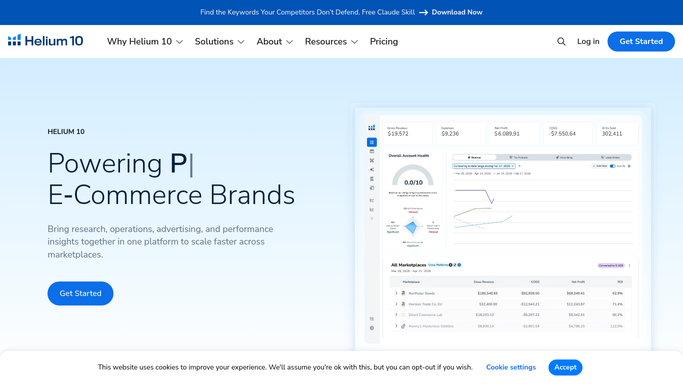
Helium 10 - detect Buy Box ownership changes via Alerts
helium10.com How to Automate Helium 10

WebRun opens Helium 10 to detect Buy Box ownership changes via Alerts. - Open Helium 10 and go to Alerts
- Filter for Buy Box change notifications posted in the last hour
- Capture the ASIN, the time of change, and the new Buy Box winner for each alert
Done when All Buy Box losses in the past hour are listed with the winning seller.
-
2
Amazon Seller Central - look up the current winning offer details
WebRun opens Amazon Seller Central to look up the current winning offer details. - Open Seller Central and go to Manage Pricing for each affected ASIN
- Check the current Buy Box price, the winning offer's fulfillment type, and seller feedback rating
- Note whether the winner is FBA or FBM and whether they are an authorized reseller
Done when Winning offer price and seller details are confirmed for each lost Buy Box.
-
3
Telegram - send Buy Box loss alert with competitor pricing
telegram.org How to Automate Telegram
WebRun opens Telegram to send Buy Box loss alert with competitor pricing. - Send a Telegram alert for each Buy Box loss
- Include ASIN, your last price, the current winning price, the winner's fulfillment type, and their seller rating
- Add a short action note: whether a small reprice might win it back or whether the competitor appears to be a hijacker
Done when All Buy Box loss alerts with competitive context are delivered to Telegram.


How do I get instant alerts when I lose the Amazon Buy Box?
WebRun monitors Helium 10 Alerts every hour for Buy Box ownership changes on your tracked ASINs, checks the winning offer details in Amazon Seller Central, and sends a Telegram alert with the competitor's price and seller profile so you can reprice or escalate within minutes of losing the Buy Box.
- Buy Box losses are surfaced within an hour, not at the end of the day
- Competitor price and seller details are included so you can decide next steps immediately
- Potential hijackers are flagged automatically for investigation
Built for Amazon private-label sellers · Amazon wholesale sellers · FBA brand owners · multi-ASIN Amazon sellers
How is each run configured?
Secure by default
Connect once, stays signed in
WebRun signs in once and keeps each session in a persistent environment, so every run picks up right where it left off.
Amazon Seller Central
Sign in once
Every action is checked against this policy before it runs.
Questions, answered
Will it reprice my listings automatically to win the Buy Box back?
No. WebRun sends you a Telegram alert with the competitive context and an action note. Repricing is a pricing decision with revenue implications, so a human makes that call.
How quickly does it catch a Buy Box loss?
WebRun checks Helium 10 Alerts every hour. In most cases you will have an alert within 60 minutes of losing the Buy Box, giving you time to act before a sustained sales drop occurs.
Can it tell if the new Buy Box winner is an unauthorized seller or hijacker?
It checks the seller's rating and fulfillment type and flags any winner who is not in your authorized reseller list, noting them as a potential hijacker for you to investigate.
Related templates
Amazon Seller Central›Amazon Seller Central›Amazon Seller Central›Put this on autopilot.
Turn it on in minutes - or have our team set it up for you.