Stay ahead of Amazon account health issues before they risk your selling privileges
Every morning, WebRun opens Amazon Seller Central's Account Health dashboard, reads your current Order Defect Rate, Late Shipment Rate, Valid Tracking Rate, and any open policy violations, cross-checks Helium 10 Alerts for related listing warnings, and sends a Telegram summary flagging any metric within 20 percent of Amazon's danger threshold.
- No credit card
- Under $0.01 per run
- Cancel anytime
 Amazon Seller Central
read Account Health metrics and open policy violations
Amazon Seller Central
read Account Health metrics and open policy violations
What does WebRun do on every run?
The exact actions WebRun takes, in order - in plain language, so you can adjust anything.
-
WebRun signs in and gets to work
Opens
sell.amazon.comin a real browser with your saved login - no setup, no API keys. -
1
Amazon Seller Central - read Account Health metrics and open policy violations

WebRun opens Amazon Seller Central to read Account Health metrics and open policy violations. - Open Seller Central and navigate to Account Health under Performance
- Record the current Order Defect Rate, Late Shipment Rate, and Valid Tracking Rate
- Note any open policy violations, IP complaints, or product authenticity claims
- Flag any metric within 20 percent of Amazon's published danger threshold
Done when All key health metrics and open violations are captured with their current values.
-
2
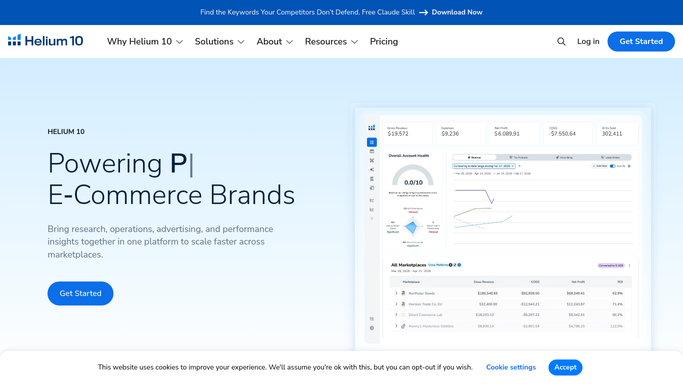
Helium 10 - cross-check related listing and performance alerts
helium10.com How to Automate Helium 10
WebRun opens Helium 10 to cross-check related listing and performance alerts. - Open Helium 10 Alerts and filter for listing change or policy-related notifications from the past 24 hours
- Note any alerts that correlate with the account health issues found in Seller Central
Done when Related Helium 10 alerts are correlated with Seller Central health metrics.
-
3
Telegram - send account health alert with any metrics near the danger threshold
telegram.org How to Automate Telegram
WebRun opens Telegram to send account health alert with any metrics near the danger threshold. - Send a Telegram message summarizing all Account Health metrics with their current values and status: Green, Warning, or Critical
- List any open policy violations with the ASIN or order affected
- For any metric in Warning or Critical status, include the Amazon threshold and the gap remaining
Done when Account health summary with all metrics and flagged issues is delivered to Telegram.


How do I automatically monitor my Amazon account health every day?
WebRun opens Amazon Seller Central's Account Health dashboard every morning, reads your Order Defect Rate, Late Shipment Rate, Valid Tracking Rate, and open violations, then sends a Telegram alert rating each metric Green, Warning, or Critical so you can act on any risk to your selling privileges before Amazon does.
- Metrics near the danger threshold are flagged every morning, not after a violation lands
- Open policy violations are surfaced daily so appeals can be filed quickly
- Account health is visible in one Telegram message without a daily Seller Central log-in
Built for Amazon FBA sellers · Amazon FBM sellers · multi-account Amazon brands · Amazon agency account managers
How is each run configured?
Secure by default
Connect once, stays signed in
WebRun signs in once and keeps each session in a persistent environment, so every run picks up right where it left off.
Amazon Seller Central
Sign in once
Every action is checked against this policy before it runs.
Questions, answered
Will it respond to or resolve policy violations automatically?
No. WebRun reads and reports the violation details in the Telegram alert. Responding to policy violations or filing appeals requires human review and submission through Seller Central.
What metrics does it monitor?
It monitors Order Defect Rate, Late Shipment Rate, Valid Tracking Rate, and any open policy violations, IP complaints, or product authenticity claims visible in Seller Central's Account Health dashboard.
What does the 20 percent threshold warning mean?
WebRun flags a metric as Warning when it is within 20 percent of Amazon's danger level. For example, if Amazon's Order Defect Rate limit is 1 percent and yours is at 0.8 percent, you get a Warning alert with the exact gap shown.
Related templates
Amazon Seller Central›Amazon Seller Central›Amazon Seller Central›Put this on autopilot.
Turn it on in minutes - or have our team set it up for you.